
Hypergeometric Distribution Puzzle with Equilateral Triangle Grid
Loading the math board and drawing, please wait…
In collections
Besondere Punkte/Special Points
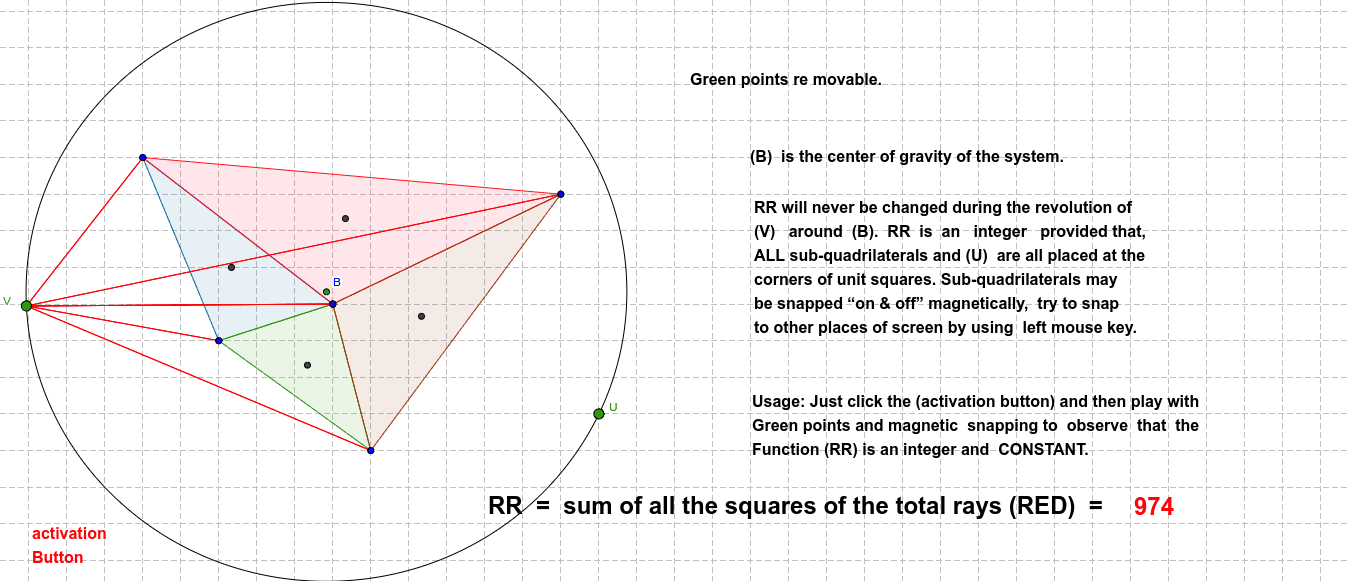
① This GeoGebra example demonstrates a mathematical puzzle built on a grid of equilateral triangles, integrating the concept of hypergeometric distribution into a geometric construction. ② Core mathematical concepts include properties of equilateral triangles, polygons, midpoints, segments, intersections, circles, and the hypergeometric distribution, along with secant line relationships. ③ Construction highlights: using Polygon to create multiple triangles (poly1, poly2, poly3), Midpoint for midpoints, Segment for connecting lines, Intersect for intersection points, Circle for circles, and Point for defining key points (Z, J, A, B, C, etc.), forming a complex network of geometric objects. ④ Suitable for high school or early college students, this puzzle encourages exploration of the intersection between geometry and probability, and can serve as a math competition or recreational puzzle to enhance spatial reasoning and logical deduction.
GeoGebra Commands & Parameters
Polygon(A, B, C) → poly1, c, a, bPolygon(D, E, F) → poly2, f, d, ePolygon(G, H, I) → poly3, ı, g, hMidpoint(A, C) → KMidpoint(A, B) → LSegment(K, B) → iSegment(L, C) → jIntersect(i, j) → MMidpoint(D, F) → NMidpoint(F, E) → OSegment(N, E) → kSegment(O, D) → lIntersect(k, l) → PMidpoint(G, H) → QMidpoint(G, I) → RSegment(R, H) → mSegment(Q, I) → nIntersect(m, n) → SSegment(M, S) → pSegment(S, P) → qSegment(P, M) → rMidpoint(M, S) → TMidpoint(S, P) → U_2Segment(M, U_2) → sSegment(T, P) → tPolygon(D_1, E_1, F_1) → poly2_1, f_1, d_1, e_1Midpoint(D_1, F_1) → N_1Midpoint(F_1, E_1) → O_1Midpoint(A, B) → V_2Midpoint(A, C) → WSegment(V_2, C) → a_1Segment(W, B) → b_1Midpoint(D, F) → A_1Midpoint(D, E) → B_1Segment(A_1, E) → c_1Segment(B_1, F) → g_1Intersect(a_1, b_1) → C_1Intersect(c_1, g_1) → G_1Midpoint(G, H) → H_1Midpoint(G, I) → I_1Segment(H, I_1) → h_1Segment(H_1, I) → i_1Intersect(h_1, i_1) → J_1Midpoint(D_1, F_1) → K_1Midpoint(F_1, E_1) → L_1Segment(D_1, L_1) → j_1Segment(K_1, E_1) → k_1Intersect(j_1, k_1) → M_1Midpoint(C_1, G_1) → P_1Midpoint(J_1, M_1) → Q_1Midpoint(C_1, J_1) → R_1Midpoint(G_1, M_1) → S_1Segment(P_1, Q_1) → l_1Segment(R_1, S_1) → m_1Intersect(l_1, m_1) → T_1Circle(T_1, U) → p_1Point(p_1) → VSegment(V, A) → n_1Segment(V, B) → q_1Segment(V, C) → r_1Segment(V, H) → s_1Segment(V, G) → t_1Segment(V, I) → a_2Segment(D, V) → b_2Segment(V, E) → c_2Segment(V, F) → d_2Segment(D_1, V) → e_2Segment(E_1, V) → f_2Segment(F_1, V) → g_2
AI Drawing Prompt Reference
Construct a mathematical puzzle on a grid of equilateral triangles. Start by drawing three interconnected equilateral triangles, then find the midpoints of each side and connect them to form new segments. Next, locate the intersections of these segments and use them to draw circles and additional triangles. Finally, connect these intersection points and circle centers to create a complex network of geometric objects, illustrating the intersection of geometry and probability distribution.
The prompt above was compiled from the original drawing commands and is for reference only.