
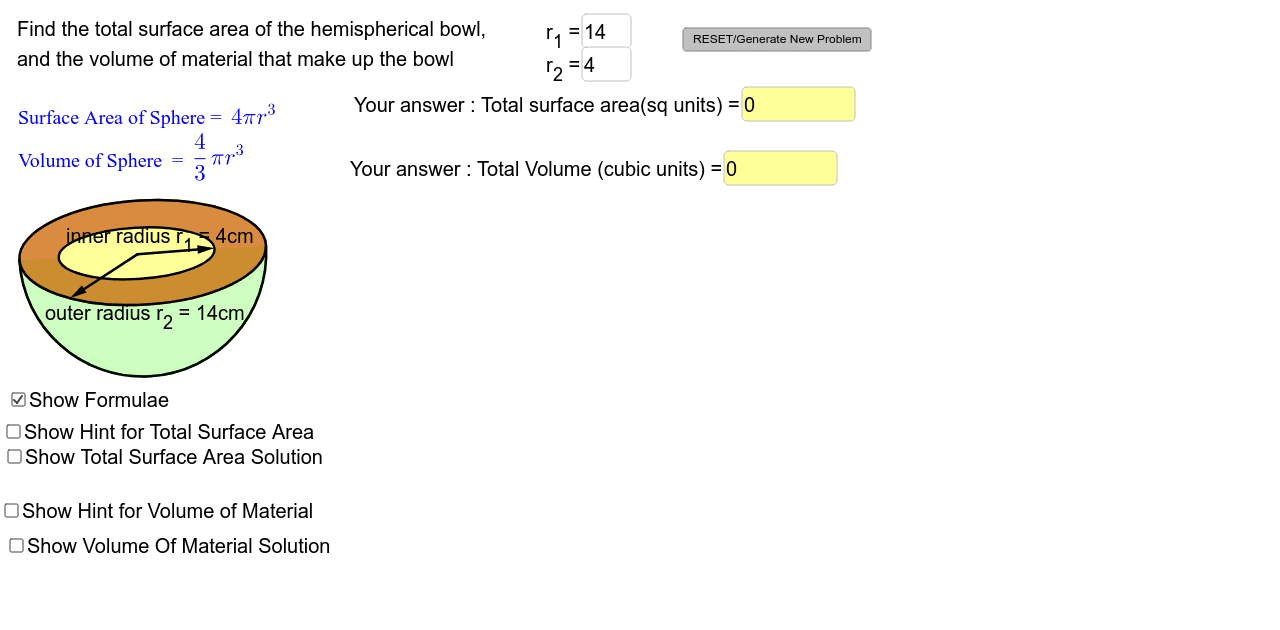
Hemispherical Bowl Mensuration Review
Loading the math board and drawing, please wait…
In collections
Mensuration
This example demonstrates mensuration calculations for a hemispherical bowl, covering concepts like area, sphere, surface area, volume, quadratic equations, linear regression, fractions, orthocenter, and circumcircle. It is constructed using GeoGebra commands like Ellipse, Point, Line, Semicircle, Vector, Textfield, and If, suitable for high school students or classroom demonstrations.
GeoGebra Commands & Parameters
Ellipse(A, B, C) → cPoint(c) → DPoint(c) → ELine(D, E) → aSemicircle(E, D) → dPoint(a) → FPoint(a) → GEllipse(F, G, H) → ePoint(e) → JVector(I, J) → uPoint(c) → KVector(I, K) → vVector(I, J) → wEllipse(A_1, B_1, C_1) → c_1Point(c_1) → D_1Point(c_1) → E_1Line(D_1, E_1) → a_1Semicircle(E_1, D_1) → d_1Point(a_1) → F_1Point(a_1) → G_1Ellipse(F_1, G_1, H_1) → e_1Point(e_1) → J_1Point(c_1) → K_1Textfield(r_2) → inputBox1Textfield(r_1) → inputBox2Textfield(answerTSA) → inputBox3Textfield(answerTV) → inputBox4If(abs(answerTSA - solutionTSA) / solutionTSA < 0.0050, true, false) → answerTSAcorrectIf(abs(answerTV - solutionTV) / solutionTV < 0.0050, true, false) → answerTVcorrect
AI Drawing Prompt Reference
Draw a hemispherical bowl to demonstrate its surface area and volume calculations. Start by creating an ellipse, then find its center and draw a diameter, using it as a chord to form a semicircle. Next, draw a concentric circle using a point on the ellipse as the center, and locate the intersection points with the semicircle. From the center, draw vectors to these points and use them to create another concentric circle. Finally, add text boxes to input and verify the calculated surface area and volume, ensuring the inputs are close to the computed values.
The prompt above was compiled from the original drawing commands and is for reference only.