
Guide to Displaying LaTeX Labels on Objects in GeoGebra
Loading the math board and drawing, please wait…
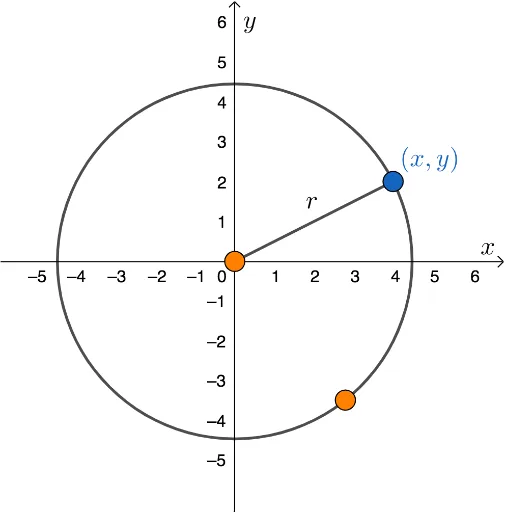
This example demonstrates the technical process of implementing and displaying professional LaTeX labels on geometric objects across any GeoGebra application. It focuses on the mathematical representation of basic geometric elements, involving concepts such as circle properties and point-segment relationships. The construction utilizes core GeoGebra commands including Circle, Point, and Segment to create objects A, B, c, C, and r, showcasing how to replace default captions with LaTeX formatting. This resource is ideal for educators creating high-quality instructional materials, students of mathematics, and users seeking to enhance the visual precision of their dynamic geometry constructions.
GeoGebra Commands & Parameters
Circle(A, B) → cPoint(c) → CSegment(A, C) → r
AI Drawing Prompt Reference
Draw a circle and a point on the circle, then connect the point on the circle to the center, showing the basic geometric elements and their relationships, starting with the circle, then finding a point on the circle, and finally connecting the center to that point.
The prompt above was compiled from the original drawing commands and is for reference only.