
Graphing Parallel Lines in the Coordinate Plane
Loading the math board and drawing, please wait…
This example demonstrates the process of graphing parallel lines in the coordinate plane. It involves core math concepts like coordinate geometry, slope, and straight line equations. Key GeoGebra commands and objects used in the construction include Random, Sequence, Union, RandomElement, Line, If, Polygon, Segment, Slope, and Textfield. It is suitable for middle school students and above to learn about the properties and methods of drawing parallel lines.
GeoGebra Commands & Parameters
Random(-9, 9) → aRandom(-9, 9) → bSequence(i, i, b + 1, 9, 1) → l4Sequence(i, i, -9, b - 1, 1) → l3Union(l3, l4) → yListSequence(i, i, a + 1, 9, 1) → l2Sequence(i, i, -9, a - 1, 1) → l1Union(l1, l2) → xListRandomElement(xList) → cRandomElement(yList) → dLine(B, A) → fLine(C, D) → gIf(n ≟ 1, "∥", "⟂") → text1If(y(B) > y(A), (x(B), y(A)), (x(A), y(B))) → EPolygon(A, E, B) → t1, b_1, a_1, e_1If(y(D) > y(C), (x(D), y(C)), (x(C), y(D))) → FPolygon(D, F, C) → t2, c_1, d_1, f_1Segment(A, E) → jSegment(E, B) → kSegment(D, F) → lSegment(F, C) → mSlope(f) → oSlope(g) → pIf(c1, "√", "X") → text2If(c2, "√", "X") → text4Textfield(q) → InputBox1Textfield(r) → InputBox2If(c3, "√", "X") → text5
AI Drawing Prompt Reference
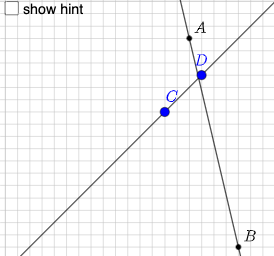
Create a coordinate-plane diagram with two lines generated from randomly chosen points. First pick two points and draw the first line, then pick another pair of points and draw the second line. Determine whether the lines are parallel or perpendicular and display a label showing “∥” or “⟂”. Using selected intersection/reference points related to the two lines, construct two polygonal triangular regions (one tied to the first line’s reference points and one tied to the second). Add line segments along the triangle edges to emphasize the boundaries, and include input text boxes in the figure for controlling or displaying symbol markings.
The prompt above was compiled from the original drawing commands and is for reference only.