
Graphing Logarithmic Functions
Loading the math board and drawing, please wait…
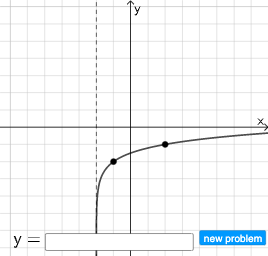
This example demonstrates how to graph logarithmic functions. The key mathematical concept involved is logarithmic functions. Using GeoGebra commands such as Intersect, Vector, Random, etc., the graph of a logarithmic function can be drawn. Suitable for high school math education or learning.
GeoGebra Commands & Parameters
Intersect(xAxis, yAxis) → GVector(G, A) → uRandom(2, 6) → lRandomElement({-1, 1}) → mRandom(-6, 6) → nRandom(-6, 6) → oTextfield(r) → InputBox1
AI Drawing Prompt Reference
Draw a graph of a logarithmic function. First, draw the coordinate axes. Then, mark a point as a reference. Next, draw a curve to represent the logarithmic function. Ensure the curve intersects the axes. Keep the graph simple and clear for math learning.
The prompt above was compiled from the original drawing commands and is for reference only.