
Graphical Solution of Simultaneous Linear Equations
Loading the math board and drawing, please wait…
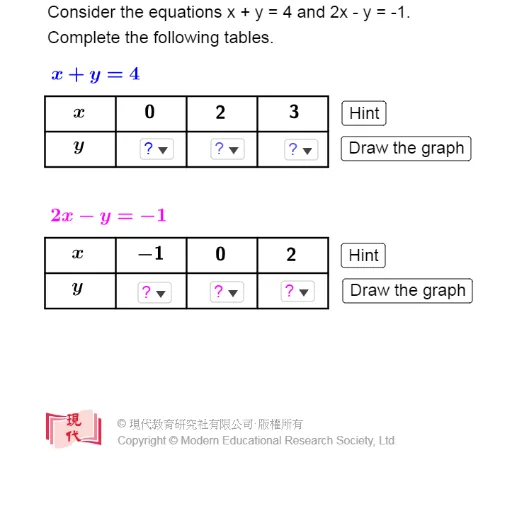
This example demonstrates graphically how to solve a system of two linear equations by finding their intersection point. Core math concepts include systems of equations, lines, intersection points, and coordinate geometry. GeoGebra commands used are Intersect, Sequence, Textfield, Line, and Segment. Suitable for middle school and above students learning linear equation solving and geometric intuition.
GeoGebra Commands & Parameters
Intersect(f, g) → A_0Sequence(Segment[(x(T_1) + (2 * k), y(T_1)), (x(T_1) + (2 * k), y(T_1) + 2)], k, 0, 4) → t_1Sequence(Segment[(x(T_1), y(T_1) + k), (x(T_1) + 8, y(T_1) + k)], k, 0, 2) → t_2Sequence(Segment[(x(T_2) + (2 * k), y(T_2)), (x(T_2) + (2 * k), y(T_2) + 2)], k, 0, 4) → t_3Sequence(Segment[(x(T_2), y(T_2) + k), (x(T_2) + 8, y(T_2) + k)], k, 0, 2) → t_4Textfield(f) → InputBox1Textfield(g) → InputBox2Line(A_1, A_2) → f_2Line(A_4, A_5) → g_2Line(A_2, A_3) → f_3Line(A_5, A_6) → g_3Segment(B_2, A_0) → hSegment(A_0, B_1) → i
AI Drawing Prompt Reference
Draw two lines representing two linear equations. Find their intersection point, which is the solution to the system of equations. Input the coefficients of the two linear equations into the text fields, then draw the two lines based on these equations. Next, draw horizontal and vertical line segments through the intersection point, and horizontal and vertical line segments starting from the intersection point, to help understand coordinate geometry and the solution of linear equation systems.
The prompt above was compiled from the original drawing commands and is for reference only.