
Geometric Venn Diagrams: Circle Intersections for Set Relationships
Loading the math board and drawing, please wait…
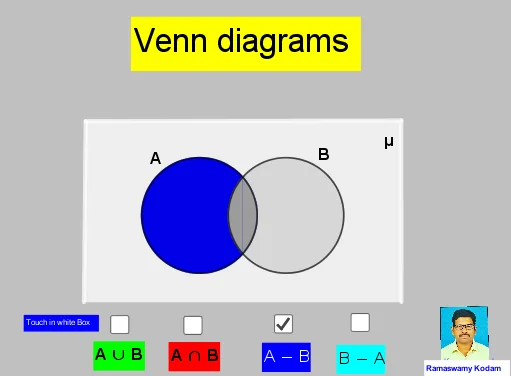
This example demonstrates how overlapping circles can be used to visualize set relationships, such as intersection and union regions, by mapping logical set operations to geometric areas. The key mathematical concepts are basic set theory (intersection/union and related region interpretation) and the geometry of intersecting circles that determines the boundary points of each region. Construction in GeoGebra uses Circle to create the required circles, Intersect to compute their intersection points, CircleArc to form the curved boundaries, and Polygon to assemble region outlines from the derived points. Labeled objects (e.g., points like A, B, C and circle objects such as d/e/f) together with text annotations (text1–text9) help identify each set region. Suitable for middle school through early university levels, especially for teaching set theory with geometric intuition and for learning geometric construction workflows.
GeoGebra Commands & Parameters
Circle(A, C) → cCircle(B, D) → dIntersect(d, c) → E, F, ,CircleArc(B, F, E) → fCircleArc(A, E, F) → eCircle(A, C) → gCircle(B, D) → hCircleArc(A, E, F) → kCircleArc(B, F, E) → pCircle(A, C) → qCircleArc(B, F, E) → rCircleArc(A, E, F) → sCircle(B, D) → tPolygon(G, H, I, J) → q1, g_1, h_1, i_1, j_1
AI Drawing Prompt Reference
Draw a geometric Venn-diagram style figure: place two circles that intersect in the plane and use their intersection points to define the curved boundaries of the regions. First construct the first circle from a chosen center and radius, then construct the second circle from another center and radius. Compute the intersection points between the two circles. From these points, trace the corresponding arc segments on each circle to form the overlap boundary, keeping the relevant arcs that outline each set region. Assemble the region outline using a polygonal boundary built from the derived points, and include simple text labels to distinguish the regions.
The prompt above was compiled from the original drawing commands and is for reference only.