
Geometric Prism Volume Calculation Demo
Loading the math board and drawing, please wait…
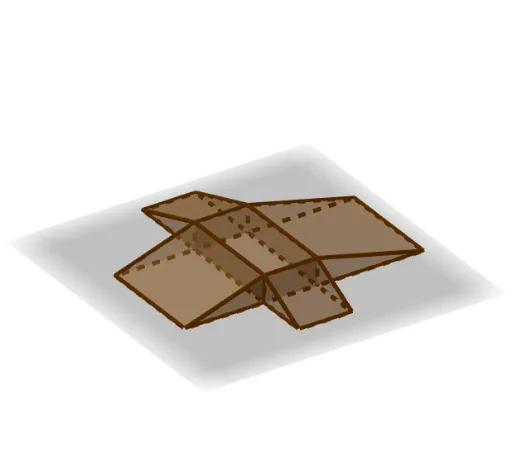
This example demonstrates how to construct and calculate the volume of a triangular prism using GeoGebra. It involves core mathematical concepts such as solid geometry, prism volume formulas, triangle area calculation, quadratic equations, and tangent lines. Key construction elements include commands like Prism, point objects (A-H, I-K), face objects (faceABCD, etc.), edge objects (edgeAB, etc.), sliders (L, M), and graphics (b, N-O). Suitable for high school geometry, analytical geometry, and calculus education, visualizing volume calculations and function applications.
GeoGebra Commands & Parameters
Prism(A, B, C, D, E) → a, I, edgeAB, edgeBC, edgeCD, edgeAD, edgeAE, edgeBI, edgeCJ, edgeDK, edgeEI, edgeIJ, J, edgeJK, edgeEK, K, faceABCD, faceABIE, faceBCJI, faceCDKJ, faceADKE, faceEIJKPrism(F, M, B, E) → b, N, edge3, edge4, edge5, edge6, edge7, edge8, edge9, O, face1, face2, face3, face4, face5, edge1, edge2Prism(P, D, G, Q) → c, R, edgeGP, edgePQ, edgeDR, edgeGS, edgeQR, edgeRS, edgeQS, S, faceDGP, faceDPQR, faceDGSR, faceGPQS, faceQRS, edgeDP, edgeDGPrism(T, C, H, U) → d, V, edgeHT, edgeTU, edgeCV, edgeHW, edgeUV, edgeVW, edgeUW, W, faceCHT, faceCTUV, faceCHWV, faceHTUW, faceUVW, edgeCT, edgeCHPrism(Z, F, B, A_1) → e, B_1, edgeBZ, edge12, edge11, edge10, edge13, edge15, edge14, C_1, faceBFZ, face9, face7, face8, face6, edgeFZ, edgeBF