
Equations of Circles Exploration
Loading the math board and drawing, please wait…
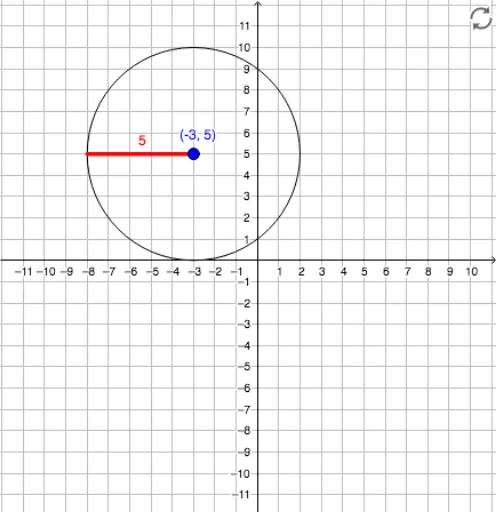
This GeoGebra interactive example demonstrates the equations of circles and their properties dynamically. Key mathematical concepts include the standard circle equation, relationship between center and radius, unit circle, and circle symmetry. Construction uses the Circle command to draw circles, Point command to create key points (center A, point B on circle), Segment command to draw radius segments, with sliders controlling radius changes and text displays showing the equation. Suitable for middle to high school mathematics classes, helping students understand algebraic representation of circles, geometric meaning of center and radius, and applications of unit circle in trigonometry.
GeoGebra Commands & Parameters
Circle(A, radius) → cPoint(c) → BSegment(A, B) → f
AI Drawing Prompt Reference
Create an interactive illustration showing the equations of circles and their properties dynamically, featuring a circle with its center marked, a point on the circle, and a line segment from the center to that point, using a slider to control the circle's size, while displaying the standard equation of the circle, demonstrating the relationship between the center, radius, and the unit circle, suitable for middle to high school students to understand algebraic representations of circles, geometric meaning of center and radius, and applications of the unit circle in trigonometry.
The prompt above was compiled from the original drawing commands and is for reference only.