
Geometric Long Division with Feedback: Random Problems and Remainder Updates
Loading the math board and drawing, please wait…
In collections
Long Division Resources with Feedback
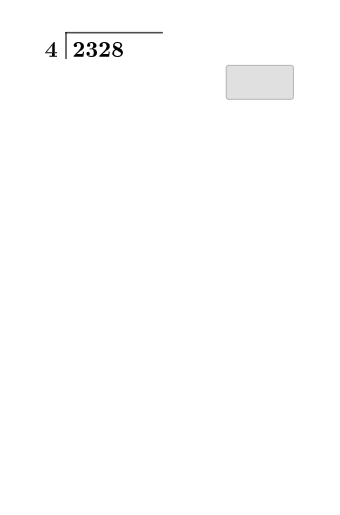
This example demonstrates a step-by-step “feedback” workflow for long division by combining number-logic with interactive diagram updates. It visually represents how the quotient, intermediate products, and remainders evolve as each subtraction step is applied. The key math concepts are integer division, the quotient–remainder relationship, and iterative decomposition/verification at each stage (checking that the computed product and subtraction match the current remainder). In GeoGebra, it is built using Random and RandomElement to generate different division instances, Segment and Translate to create and move the diagram elements that correspond to each step, Textfield (and text objects) to display intermediate values and results, and If statements to control conditional logic—updating the next step and feedback depending on the current remainder. The target use includes elementary upper grades through middle school, for instruction, interactive practice, and visualization of algorithmic arithmetic.
GeoGebra Commands & Parameters
Random(101, 998) → k_{1}RandomElement(l1) → a_{1}Segment(A, B) → f_{1}Segment(B, C) → g_{1}Textfield(c_{1}) → aTextfield(d_{1}) → bSegment(D, E) → h_{1}Textfield(e_{1}) → cIf(d_{1} ≟ (c_{1} * a_{1}), "☺", "☹") → text4If(true1, "☺", "☹") → text5Textfield(i_{1}) → dTextfield(j_{1}) → eIf(true2, "☺", "☹") → text6Translate(D, Vector[(0, -3)]) → D'Translate(E, Vector[(0, -3)]) → E'Segment(D', E') → h'Textfield(l_{1}) → fIf(true3, "☺", "☹") → text7Textfield(m_{1}) → gTextfield(n) → hIf(true4, "☺", "☹") → text8Translate(D', Vector[(0, -3)]) → D''Translate(E', Vector[(0, -3)]) → E''Segment(D'', E'') → h''Textfield(o) → iIf(true5, "☺", "☹") → text9Textfield(p) → jTextfield(q) → kTranslate(D'', Vector[(0, -3)]) → D'''Translate(E'', Vector[(0, -3)]) → E'''Segment(D''', E''') → h'''If(true6, "☺", "☹") → text10Textfield(r) → lIf(true7, "☺", "☹") → text11Textfield(s) → mIf(true8, "☺", "☹") → text13
AI Drawing Prompt Reference
Create a planar geometry diagram that visualizes a step-by-step long division with feedback. Draw a base broken line using two segments AB and BC. Also draw another segment DE, then make three additional step positions by translating DE downward to get D′E′, D″E″, and D‴E‴, so there are four corresponding “stages.” Place text labels next to the figure showing intermediate values (a, b, c, d, e, f, g, h, i, j, k, l, m, n, o, p, q, r, s). Add several small emoji/status text elements next to the labels to indicate whether each computed check (comparing the current product to the updated remainder) is correct or not, updating per stage in the same order.
The prompt above was compiled from the original drawing commands and is for reference only.