
Geometric Demo of Vector Addition (Triangle Law)
Loading the math board and drawing, please wait…
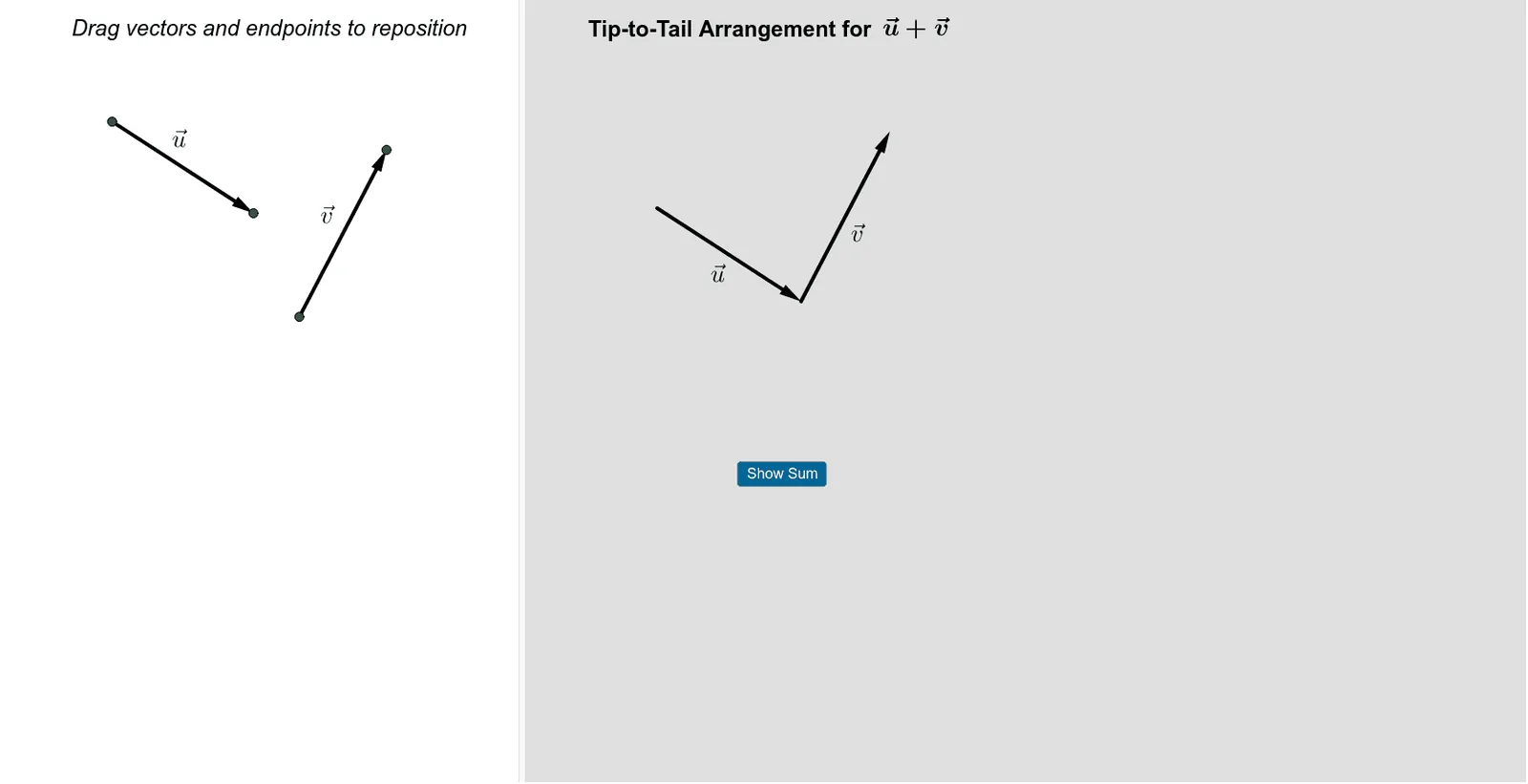
This example demonstrates vector addition using the triangle law: by placing vectors u and v head-to-tail, the resulting vector w is obtained as w = u + v, reflecting both magnitude and direction through a clear geometric construction. Key concepts include vector addition, transformation via translation, and the triangle law that converts a sequential arrangement of vectors into a single resultant vector. Construction approach in GeoGebra: Vector is used to create the vector objects (e.g., u, v, w and related vectors), Translate is applied to reposition vectors so they share the required orientation/placement (head-to-tail or same-origin comparison), and Midpoint is used to obtain essential auxiliary points for structure and verification. The scene includes points (such as A and B), multiple vector and helper objects, plus text labels (text1–text8) and interactive controls (button1, bool) to guide step-by-step visualization. Suitable for middle school through early university learners, especially for instruction and hands-on exploration of vector geometry.
GeoGebra Commands & Parameters
Vector(A, B) → uVector(C, D) → vTranslate(u, (0, 0)) → wTranslate(v, (x(u), y(u))) → rMidpoint(A, B) → EMidpoint(C, D) → FMidpoint(G, H) → IMidpoint(G, J) → KMidpoint(J, H) → L
AI Drawing Prompt Reference
Draw a triangle to demonstrate vector addition. Create vectors u and v, connect them head-to-tail to form vector w. Label points A, B, C, D, E, F and add text to explain vector relationships. Use midpoints to create auxiliary points, ensuring a clear and understandable geometric figure for learning vector geometry.
The prompt above was compiled from the original drawing commands and is for reference only.