
Geometric construction linking tangent constraints and quadratic span conditions
Loading the math board and drawing, please wait…
In collections
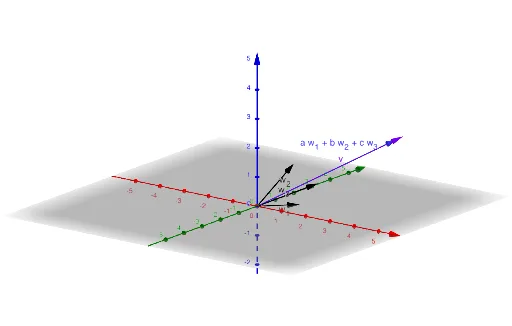
Exploring Span
This example demonstrates the “Span 4” idea through an interactive geometric configuration: by changing input parameters, the key points and connecting segments maintain prescribed constraints, revealing how a four-part span structure can be enforced visually. The core math concepts include the tangent function (as an angle/slope constraint), quadratic equations (as the underlying measurement/feasibility condition), and polygon-based geometry relationships related to kite/rhombus-like structure and symmetry. Construction highlights (from the GeoGebra construction summary) rely on multiple Textfield and driven input objects—w_{3}, w_{1}, w_{2}, a, b, c, InputBox1, InputBox2, v, w, InputBox3, d, Y, InputBox4—together with text outputs (text1, text2) to display the computed span-related quantities as the configuration updates. Suitable for secondary-school geometry with function applications and for students who want to connect tangent-based constraints to quadratic geometric reasoning.
GeoGebra Commands & Parameters
Textfield(w_{1}) → InputBox1Textfield(w_{2}) → InputBox2Textfield(v) → InputBox3Textfield(w_{3}) → InputBox4
AI Drawing Prompt Reference
Draw a four-segment connected geometric structure with four input parameters w₁, w₂, v, and w₃. Adjust these parameters to ensure that the four key points and connecting segments meet specific tangent constraints and quadratic equation conditions, forming a kite-like or rhombus-like symmetric structure. First, input w₁ and w₂ as angle constraints, then input v and w₃ as quadratic equation conditions, and finally automatically draw the geometric figure that meets these conditions.
The prompt above was compiled from the original drawing commands and is for reference only.