
Eigenvectors 1a: Vector and Geometric Construction
Loading the math board and drawing, please wait…
In collections
Exploring Eigenvectors
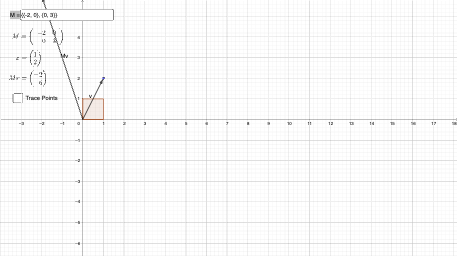
This example demonstrates the application of vectors in geometric figures, focusing on concepts like vector operations, plane geometry, and coordinate geometry. Using GeoGebra commands such as Vector, Polygon, and Textfield, users can create vector v, triangle ABC, and polygon CDE. Key construction steps include defining vector v, drawing triangle ABC, adding polygon CDE, and using InputBox1 for text input. Suitable for middle or high school mathematics education to visually understand vector relationships with geometry.
GeoGebra Commands & Parameters
Vector(A, B) → vTextfield(M) → InputBox1Polygon(A, C, E, D) → q1, a, c, e, d
AI Drawing Prompt Reference
Draw a geometry-and-vector construction: start by defining a vector v from point A to point B. Include a text input box area for entering or displaying a label or message. Then place four points A, C, E, and D on the same plane and draw the polygon formed by these points (connecting them in order A→C→E→D). Keep the vector v and the polygon in the same scene so their geometric relationship can be visually compared.
The prompt above was compiled from the original drawing commands and is for reference only.