
Geometric and Probability Intersection: Building Models with Vectors and Distrib
Loading the math board and drawing, please wait…
In collections
Exploring Linearity
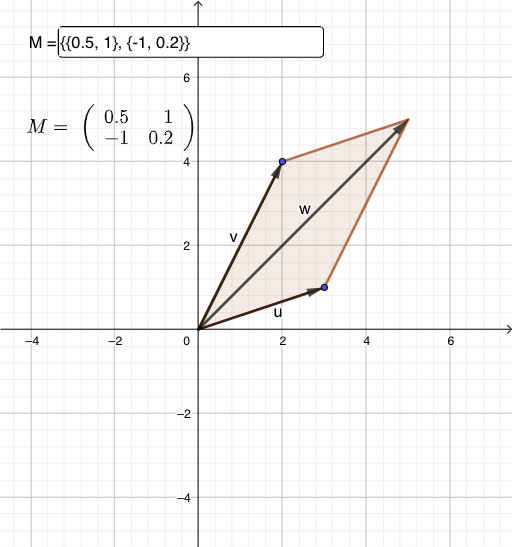
This example demonstrates how to use vectors, probability distributions, and geometric figures to construct mathematical models. Key mathematical concepts include vector operations, probability distributions, and geometric construction. Construction involves using GeoGebra commands like Vector, Textfield, Polygon, and InputBox to create objects, with interactive elements like Slider. Suitable for high school students or college students to learn about the integration of geometry and probability, and understanding basic mathematical modeling techniques.
GeoGebra Commands & Parameters
Vector(A, B) → uVector(A, C) → vTextfield(M) → InputBox1Polygon(A, B, B + C, C) → q1, f, g, h, iPolygon((M * A), (M * B), (M * (B + C)), (M * C)) → q2, j, k, l, m
AI Drawing Prompt Reference
Draw a geometric figure using vectors u and v, where u is the vector from point A to B, and v is the vector from point A to C. Adjust the length and direction of the vectors using slider M and input specific values through the input box. Construct a quadrilateral with vertices A, B, B+C, and C. Then, construct another quadrilateral with vertices M*A, M*B, M*(B+C), and M*C.
The prompt above was compiled from the original drawing commands and is for reference only.