
GeoGebra Interactive Bubbles
Loading the math board and drawing, please wait…
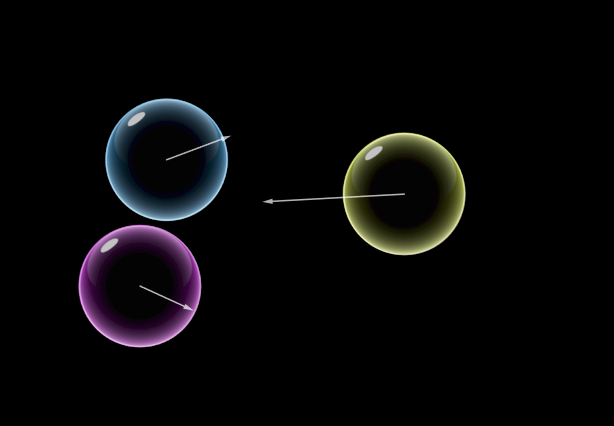
This example demonstrates dynamic bubbles in 2D space, simulating a screensaver effect through mathematical calculations. Core math concepts include 2D vectors, angles, geometric reflection, trigonometry, random variables, and probability & statistics. Construction highlights use of GeoGebra commands like Corner, Polygon, PointIn, Sum, Circle, with objects such as r, r1, E1-E4, pol, f-g-h-i, t, A1-A6, v1-v20 for simulating bubble motion and collisions. Suitable for high school and above students learning vectors, geometry, probability & statistics, or for mathematical demonstrations and teaching.
GeoGebra Commands & Parameters
Corner(1) → E1Corner(2) → E2Corner(3) → E3Corner(4) → E4Polygon(E1 + (r1, r1), E2 + ((-r1), r1), E3 - (r1, r1), E4 + (r1, (-r1))) → pol, f, g, h, iPointIn(pol) → A1PointIn(pol) → A2PointIn(pol) → A3PointIn(pol) → A4PointIn(pol) → A5PointIn(pol) → A6PointIn(pol) → A7PointIn(pol) → A8PointIn(pol) → A9PointIn(pol) → A10PointIn(pol) → A11PointIn(pol) → A12PointIn(pol) → A13PointIn(pol) → A14PointIn(pol) → A15PointIn(pol) → A16PointIn(pol) → A17PointIn(pol) → A18PointIn(pol) → A19PointIn(pol) → A20Sum(enerLista, n) → energíaCircle(A1, r2) → B1Circle(A3, r2) → B3Circle(A4, r2) → B4Circle(A5, r2) → B5Circle(A6, r2) → B6Circle(A7, r2) → B7Circle(A8, r2) → B8Circle(A2, r2) → B2Circle(A9, r2) → B9Circle(A10, r2) → B10Circle(A11, r2) → B11Circle(A12, r2) → B12Circle(A13, r2) → B13Circle(A14, r2) → B14Circle(A15, r2) → B15Circle(A16, r2) → B16Circle(A17, r2) → B17Circle(A18, r2) → B18Circle(A19, r2) → B19Circle(A20, r2) → B20
AI Drawing Prompt Reference
Create a dynamic bubble cluster consisting of 20 randomly distributed points inside a square. Each point represents a bubble, forming a circle with radius r2 around each point. The square's four corners are E1 to E4, connected to form a square. Then, randomly generate 20 points inside the square, and draw a circle with radius r2 around each point to simulate bubbles.
The prompt above was compiled from the original drawing commands and is for reference only.