
Geometric Visualization of Standard Deviation with Sine/Random Variables
Loading the math board and drawing, please wait…
In collections
Arc Length & Sector Area EXPLORATION
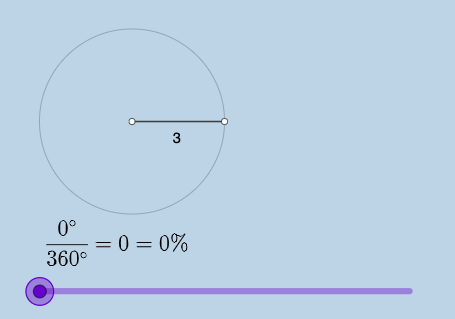
This example demonstrates how geometry and functions can be combined to build an intuitive visualization of statistical spread—especially the standard deviation—when representing random variables in a parameterized or discrete way. It highlights core ideas from probability & statistics (Random Variables, Standard Deviation) alongside trigonometric modeling (Sine), linking angular/sector geometry to measures of variability or weighting. Construction relies on GeoGebra commands such as Point, Ray, Segment, Circle, Rotate, Angle, CircleArc, and CircleSector to create the geometric scaffolding. Textfield and FractionText are used to present symbolic parameters and fractional expressions, while input boxes (InputBox1/InputBox2) drive the configuration. Area and Circumference provide quantitative geometric measures (e.g., sector-related quantities) that can correspond to statistical interpretations. The activity suits high school advanced study through early university level for probability-statistics visualization, enrichment lessons, and model-based presentations that help learners connect “variability” with both trigonometric structure and geometric intuition.
GeoGebra Commands & Parameters
Point(yAxis) → ARay(A, (1, 0)) → hPoint(h) → BCircle(A, B) → cSegment(A, B) → fRotate(B, (a * pi / 180), A) → B'Angle(B, A, B') → αCircleArc(A, B, B') → dSegment(A, B') → gCircleSector(A, B, B') → eTextfield(a) → InputBox1Area(c) → lCircumference(c) → mTextfield(n) → InputBox2FractionText(a / 360) → text8
AI Drawing Prompt Reference
In a shared coordinate plane, place a starting point on a vertical axis to serve as the circle’s center. From this center, draw an initial ray along the horizontal direction and mark the corresponding point that determines the radius. Construct the circle through the center and that radius point, and draw the segment from the center to the radius point. Rotate the radius point about the center by a user-controlled angle to obtain a second point, then draw the segment from the center to this rotated point. Mark the angle between the two radius segments, draw the circular arc connecting the two radius points, and form the circular sector bounded by the arc and the two radii. Add on-screen text to display the adjustable angle parameter (including its fractional form), and include labels for the circle’s area and circumference.
The prompt above was compiled from the original drawing commands and is for reference only.