
Geometric Construction for Cylinder Volume in GeoGebra
Loading the math board and drawing, please wait…
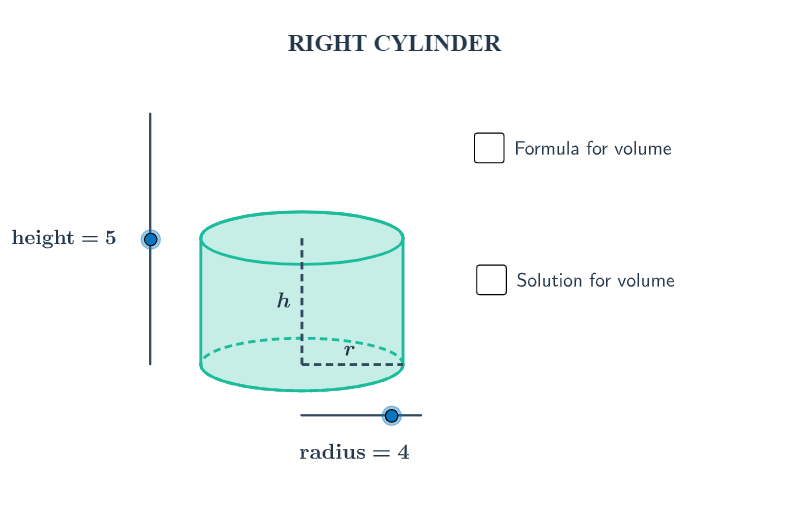
This example demonstrates how to construct a cylinder in GeoGebra using key measurements (radius and height) and visualize the geometric structure behind the cylinder’s volume. It focuses on solid-geometry concepts: a cylinder as a 3D shape with a circular base, and the volume relationship V = πr^2h linking radius and height to the solid’s capacity. Construction highlights include using GeoGebra commands such as Dilate and Translate to build consistent cylinder components, Vector and Segment to define the height direction and key linear edges, Arc and Polygon to form the curved and planar outlines, and Midpoint to place reference points for accurate dimension positioning. The construction uses objects like radius and height along with auxiliary points and labeled elements (e.g., A, B, P, L, R, C, and text annotations) so the figure updates coherently with parameter changes. Suitable for middle school through early university learners studying spatial geometry and applying standard volume formulas, and for classroom exploration of parameter-driven modeling.
GeoGebra Commands & Parameters
Dilate(B, height, A) → CVector(A, C) → uTranslate(c, u) → dTranslate(R, u) → DTranslate(P, u) → ETranslate(L, u) → FArc(d, 0, 3.141592653589793) → eArc(c, 3.141592653589793, 0) → fPolygon(F, D, R, L) → Q, f_1, d_1, r_1, lSegment(E, P) → aSegment(P, R) → bMidpoint(E, P) → GMidpoint(P, R) → H
AI Drawing Prompt Reference
Draw a cylinder shape. The cylinder has a circular base and a circular top connected by a height line. Key objects include the circular base, circular top, height line, arcs, line segments, and points. The construction order is to draw the circular base and top first, then the height line, followed by arcs to form the side, and finally connect line segments and points. The shape should clearly show the structure of the cylinder while maintaining consistent proportions.
The prompt above was compiled from the original drawing commands and is for reference only.