
GeoGebra Trig Equation Construction
Loading the math board and drawing, please wait…
In collections
Creating Trig Equations: Open Middle Exercises
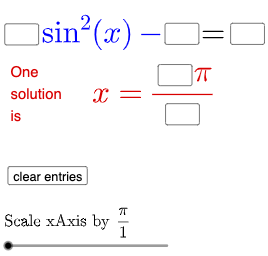
This example demonstrates how to build and solve trigonometric equations using GeoGebra, involving core concepts like trigonometric functions, geometric transformations, and equation solving. It utilizes commands and objects such as Textfield, Intersect, SurdText, Mode, If. Suitable for middle school and above, helping students understand trigonometric graphs and properties, enhancing geometric construction and equation-solving skills.
GeoGebra Commands & Parameters
Textfield(a) → InputBox1Textfield(b) → InputBox2Textfield(c) → InputBox3Textfield(d) → InputBox4Textfield(e) → InputBox5Intersect(g, eq1, (1.5707963267948966, 3)) → ASurdText(x(A) / π) → text4Mode(l1) → l2If(Length[l2] ≟ 0, "No digits repeat.", "Repeated digits exist.") → text7Textfield(i) → InputBox6Textfield(j) → InputBox7
AI Drawing Prompt Reference
Create a graphing workspace for building and solving a trigonometric equation with parameter inputs: include five user-editable input boxes for the equation’s parameters, then plot the equation-related curve and determine a specific intersection point under a fixed numerical constraint. Convert the intersection’s x-coordinate into a displayed value by taking the ratio to pi and show it as text. Add a second text that reports whether any digits repeat based on the computed text’s length. Finally, add two additional input boxes for further parameters to continue the construction and checks.
The prompt above was compiled from the original drawing commands and is for reference only.