
GeoGebra Geometric Transformations and Trigonometric Functions Example
Loading the math board and drawing, please wait…
This example demonstrates the construction of a figure using geometric transformations and trigonometric functions. The key mathematical concepts include geometric transformations, trigonometric functions, and coordinate geometry. The construction involves using commands like CurveCartesian, Point, Segment, and functions f, g. It is suitable for high school students or college students learning about geometric transformations and applications of trigonometric functions.
GeoGebra Commands & Parameters
CurveCartesian(t, t + 1, t, 0, 1) → C_1CurveCartesian(t, t^(2) + 1, t, 0, 1) → C_2Point(C_1) → CPoint(C_1) → DSegment(C, D) → fPoint(C_2) → EPoint(C_2) → FSegment(E, F) → gSequence(k, k, x(Corner[1]), x(Corner[3]), xstep) → LxSequence(k, k, y(Corner[1]), y(Corner[3]), ystep) → LyZip(Zip[Vector[(j, k), (j + (scale * fx(j, k)), k + (scale * fy(j, k)))], j, Lx], k, Ly) → vectorField
AI Drawing Prompt Reference
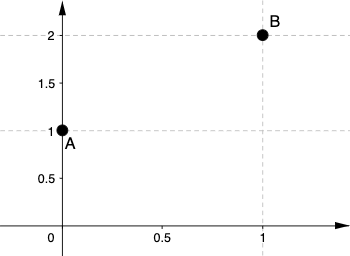
Draw a figure consisting of two curves, one linear and one parabolic. Take two points on the linear curve and connect them to form a segment, then do the same on the parabolic curve. Generate a series of vectors based on a set of points in the Cartesian coordinate system to demonstrate the effect of geometric transformations, showcasing the application of geometric transformations, trigonometric functions, and coordinate geometry.
The prompt above was compiled from the original drawing commands and is for reference only.