
GeoGebra Construction of a Cube Net
Loading the math board and drawing, please wait…
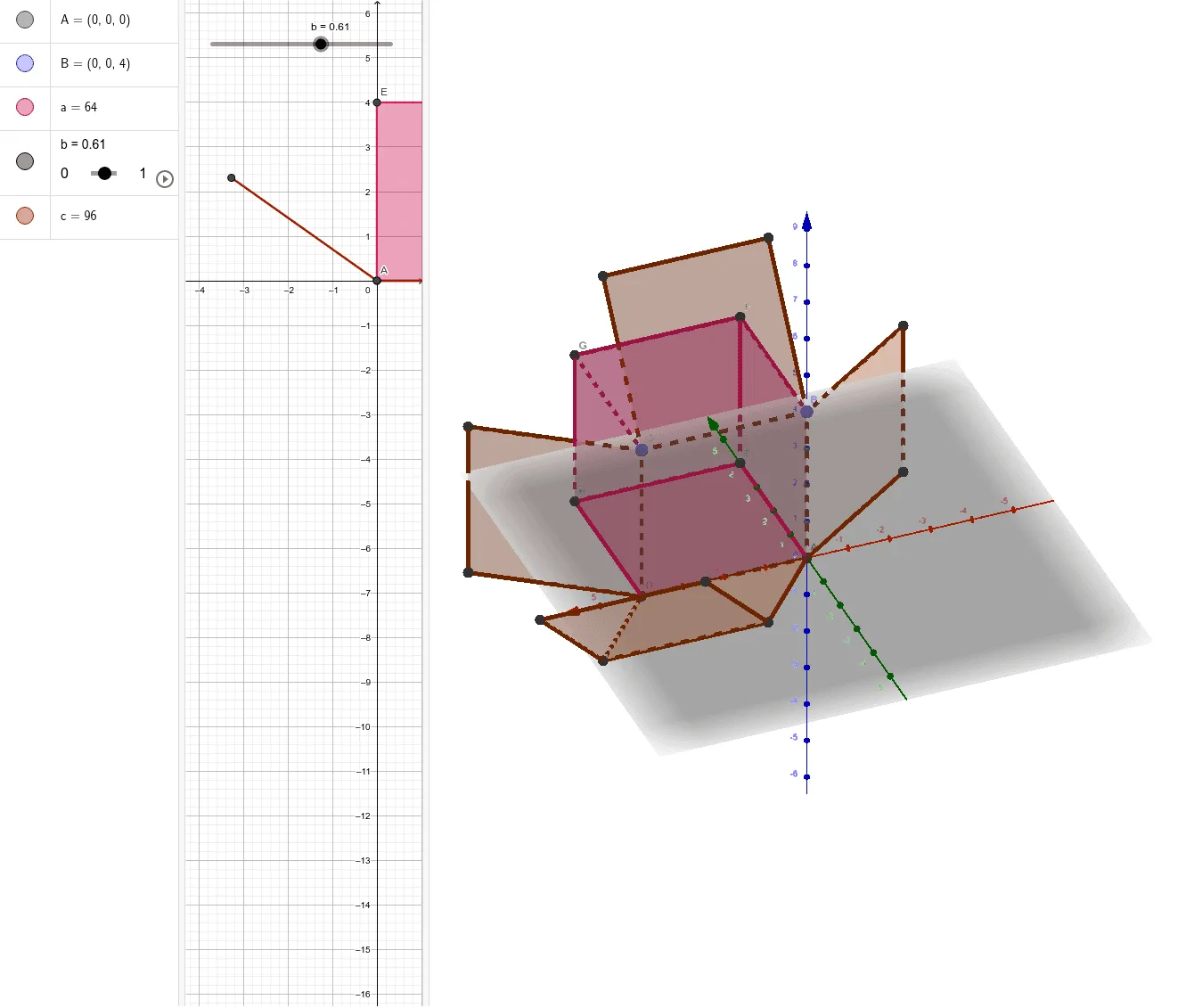
This example demonstrates how to construct and visualize a cube net: a planar arrangement of the cube’s faces that preserves adjacency so the 2D pattern corresponds to a real 3D cube when folded. Key concepts include solid geometry, face/edge adjacency, and the combinatorial/topological structure behind unfolding a polyhedron into a net. Construction-wise, it uses GeoGebra commands Intersect and Point to determine key intersection points, and the Cube and Net commands to build the cube and generate its unfolding. The model explicitly references cube faces such as faceABCD, faceADHE, faceABFE, faceBCGF, faceCDHG, and faceEFGH, together with edges like edgeAD, edgeAB, edgeBC, edgeCD, edgeAE, edgeDH, edgeEH, edgeEF, edgeBF, edgeFG, edgeCG, and edgeGH. Suitable for middle/high school geometry instruction and hands-on activities focused on understanding how a cube can be unfolded into a plane and reassembled.
GeoGebra Commands & Parameters
Intersect(zAxis, yAxis) → APoint(zAxis) → BPoint(Circle[B, Distance[A, B], Segment[A, B]]) → CCube(A, B, C) → a, D, faceCDHG, faceEFGH, edgeAD, edgeAB, edgeBC, edgeCD, edgeAE, edgeDH, edgeEH, edgeEF, E, edgeBF, edgeFG, edgeCG, edgeGH, F, G, H, faceABCD, faceADHE, faceABFE, faceBCGFNet(a, b) → c, I, R, S, T, U, V, faceIJKL, faceILNM, faceIJRQ, faceJKTS, faceKLVU, J, faceMNOP, edgeIL, edgeIJ, edgeJK, edgeKL, edgeLN, edgeMN, edgeIM, edgeIQ, edgeQR, K, edgeJR, edgeJS, edgeST, edgeKT, edgeKU, edgeUV, edgeLV, edgeNO, edgeOP, edgeMP, L, M, N, O, P, Q
AI Drawing Prompt Reference
Draw a cube net. Start by defining three key points: the origin, a point on the z-axis, and a point on a circle centered at the origin with radius equal to the distance between the first two points, lying in the plane containing the z-axis point. Use these three points to construct a cube, labeling its six faces (bottom, top, and four side faces) and twelve edges. Then unfold the cube into a planar net, preserving the adjacency of faces, and label all vertices and edges of the unfolded pattern.
The prompt above was compiled from the original drawing commands and is for reference only.