
Frustum of a Cone
Loading the math board and drawing, please wait…
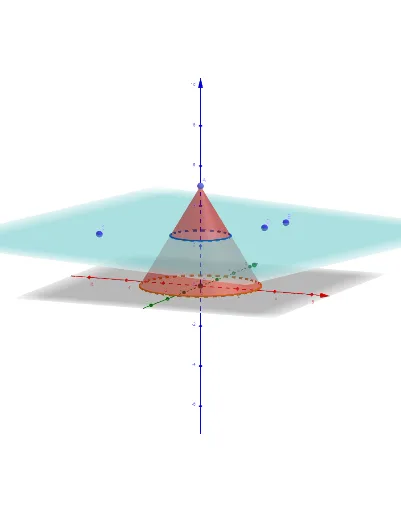
This example demonstrates the frustum of a cone. It involves concepts of cone geometry and sections. Using GeoGebra commands such as Point, Intersect, Cone, Plane, and IntersectPath, the frustum of a cone can be constructed. Suitable for high school geometry learners and educators.
GeoGebra Commands & Parameters
Point(zAxis) → AIntersect(zAxis, xOyPlane) → BCone(B, A, 3) → a, c, bPlane(C, D, E) → pIntersectPath(p, a) → d
AI Drawing Prompt Reference
Draw a frustum of a cone, showing the shape formed when a cone is sliced by a plane. Start by identifying the apex and base center of the cone, then draw the cone. Next, define a plane that intersects the cone, and finally display the intersection line between the plane and the cone to form the frustum's lateral surface and base.
The prompt above was compiled from the original drawing commands and is for reference only.