
GeoGebra Auxiliary Objects Example
Loading the math board and drawing, please wait…
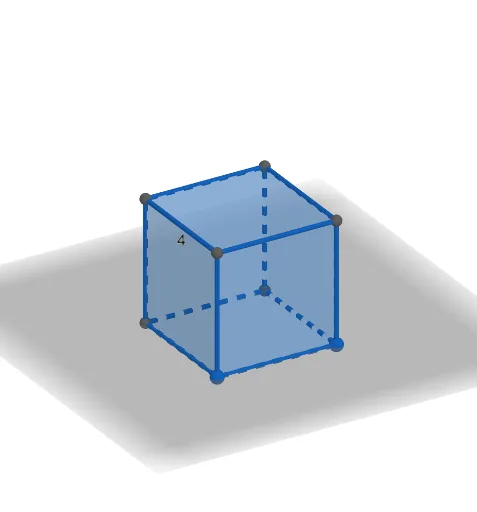
This example dynamically demonstrates the application of auxiliary objects in geometric constructions using GeoGebra, involving core concepts like area, circumcircle, polygons, and cones. Using commands such as Intersect, Point, Cube, and Net, it illustrates how to construct complex geometric solids and their faces, edges, and relationships. Suitable for high school and introductory university students to understand solid geometry and geometric construction techniques.
GeoGebra Commands & Parameters
Intersect(xAxis, zAxis) → APoint(xAxis) → BPoint(Circle[B, Distance[A, B], Segment[A, B]]) → CCube(A, B, C) → a, D, faceCDHG, faceEFGH, edgeAD, edgeAB, edgeBC, edgeCD, edgeAE, edgeDH, edgeEH, edgeEF, E, edgeBF, edgeFG, edgeCG, edgeGH, F, G, H, faceABCD, faceADHE, faceABFE, faceBCGFNet(a, b) → c, I, R, S, T, U, V, faceIJKL, faceILNM, faceIJRQ, faceJKTS, faceKLVU, J, faceMNOP, edgeIL, edgeIJ, edgeJK, edgeKL, edgeLN, edgeMN, edgeIM, edgeIQ, edgeQR, K, edgeJR, edgeJS, edgeST, edgeKT, edgeKU, edgeUV, edgeLV, edgeNO, edgeOP, edgeMP, L, M, N, O, P, Q
AI Drawing Prompt Reference
Draw a cube and demonstrate the application of auxiliary objects. First, identify the intersection point of the x-axis and z-axis in a coordinate system. Then, draw a circle centered at this point with a radius equal to its distance from the x-axis. Construct the cube using these three points and clearly display its faces, edges, and vertices. Finally, generate the net of the cube, labeling the parts of the net and their corresponding relationships with the cube's faces, edges, and vertices.
The prompt above was compiled from the original drawing commands and is for reference only.