
GeoGebra Angle and Geometry Construction Example
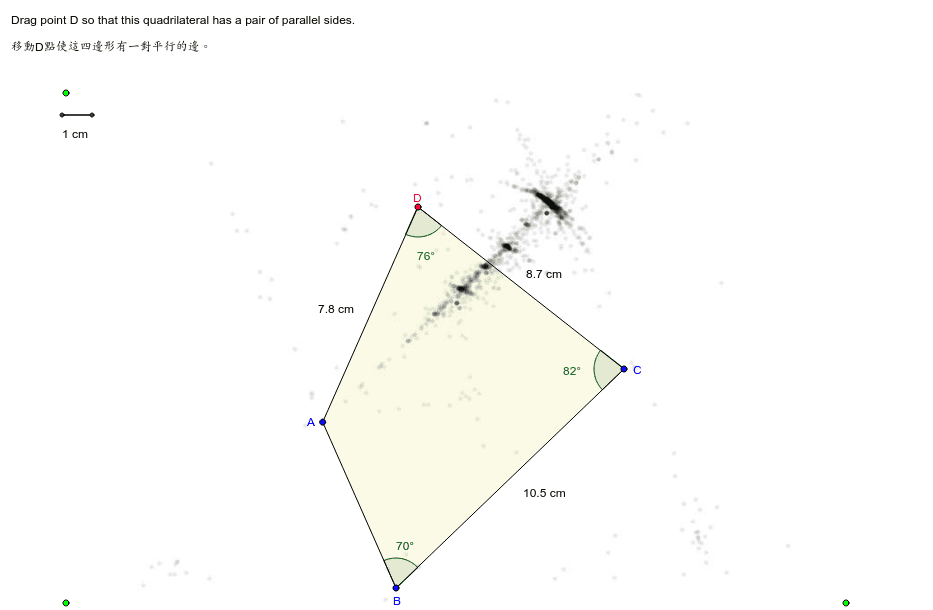
Loading the math board and drawing, please wait…
In collections
Dynamic Geometry Study Tasks
This example dynamically demonstrates geometric elements like angles, midpoints, and polygons, showcasing rotation and distance calculations; involves core concepts including angles, expected value, median line, sequences and series, mode, and real numbers; constructed using commands such as Rotate, Ray, Point, Polygon, Angle, Midpoint, Segment, and Distance in GeoGebra; suitable for high school mathematics teaching, focusing on geometric construction and transformation.
GeoGebra Commands & Parameters
Rotate(C, 70*°, B) → FRay(B, F) → ePoint(e) → APolygon(A, B, C, D) → P, a, b, c, dAngle(P) → α, β, γ, δMidpoint(A, D) → EMidpoint(B, C) → GSegment(H, I) → fMidpoint(D, C) → JDistance(A, D) → var5Distance(D, C) → var6
AI Drawing Prompt Reference
Draw a geometric figure that demonstrates rotation and distance calculations. The figure should include a rotated point, a ray, a polygon, midpoints, and a line segment. The construction order is to rotate the point, draw the ray, determine polygon vertices, calculate midpoints and line segments. The figure should show relationships between angles, rotation, and distance, suitable for math teaching.
The prompt above was compiled from the original drawing commands and is for reference only.