
Geodesics on a Surface
Loading the math board and drawing, please wait…
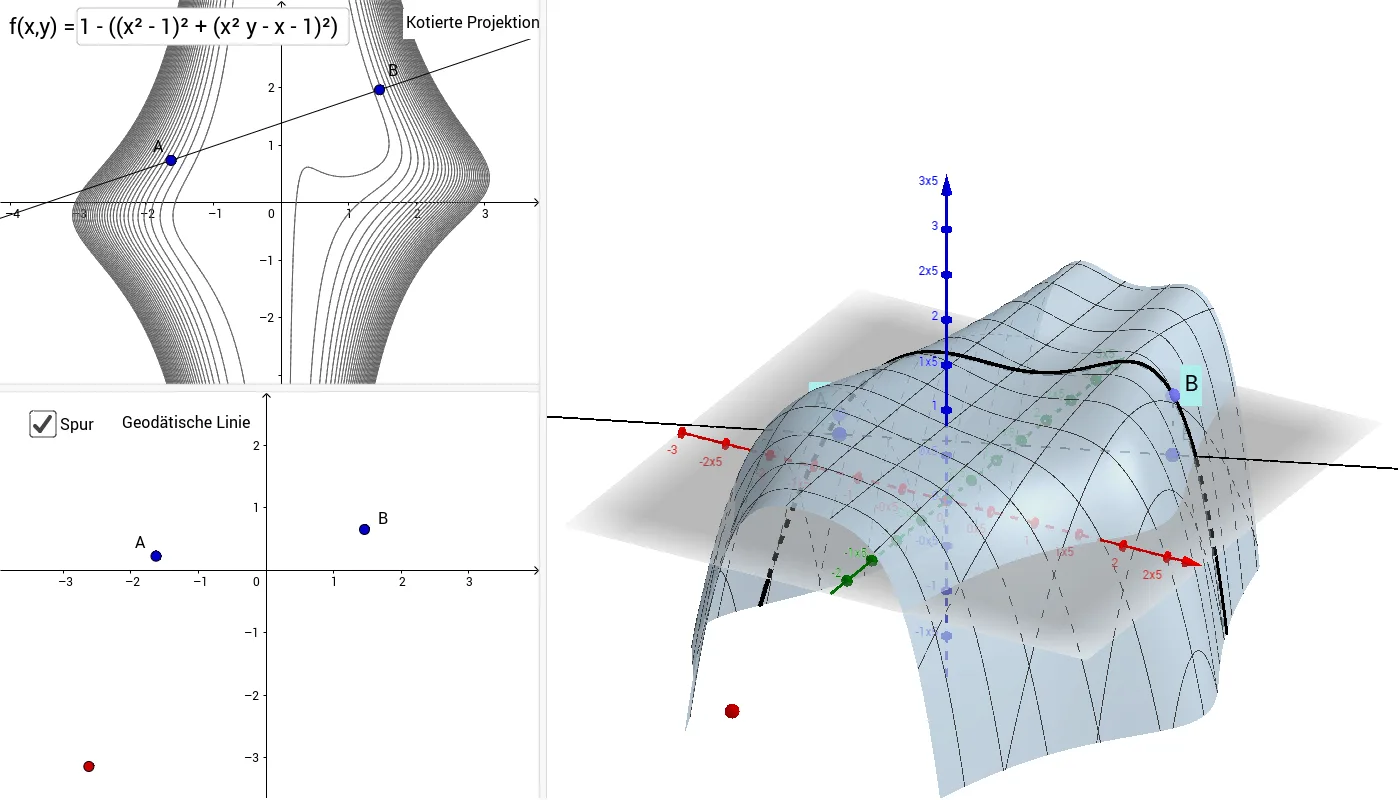
This example demonstrates geodesics on a surface. Key mathematical concepts include surface geometry and geodesics. Using GeoGebra commands such as PointIn, OrthogonalLine, Intersect, etc., geodesics on a surface can be constructed. Suitable for high school or university geometry courses.
GeoGebra Commands & Parameters
PointIn(f) → APointIn(f) → BOrthogonalLine(A, xOyPlane) → gOrthogonalLine(B, xOyPlane) → hIntersect(g, xOyPlane) → CIntersect(h, xOyPlane) → DLine(C, D) → iOrthogonalPlane(D, i) → aIntersectPath(a, xOyPlane) → jOrthogonalPlane(B, j) → bIntersectPath(b, f) → cSequence(f(x, y) = k, k, -5, 5, 0.2) → KonturenSegment(A, C) → kSegment(B, D) → lPoint(c) → PTextfield(f) → Eingabefeld1
AI Drawing Prompt Reference
Draw a 3D function graph and display its geodesics. Select two points on the function graph, then draw perpendicular lines from these points to the xOy plane to find their feet. Connect these feet to form a line, and create a vertical plane based on this line. Find the intersection of this plane with the xOy plane, then draw a perpendicular line from one of the points to this intersection line and find its intersection with the function graph. Finally, plot the contour lines of the function graph and connect the initial points to their corresponding feet to complete the geodesic display.
The prompt above was compiled from the original drawing commands and is for reference only.