
From Parallelogram to Arbitrary Quadrilateral
Loading the math board and drawing, please wait…
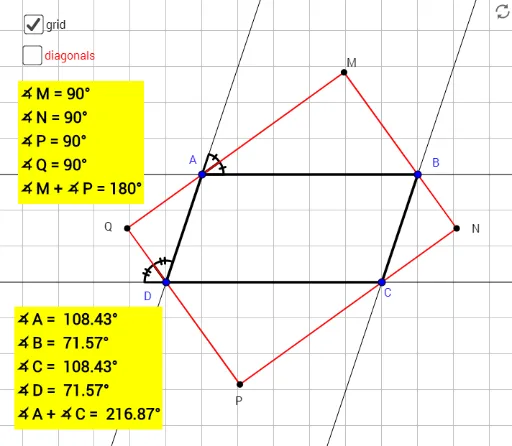
This example demonstrates the transformation from a parallelogram to an arbitrary quadrilateral. Key mathematical concepts include geometric transformations and properties of quadrilaterals. Using GeoGebra commands such as Line, Point, and Polygon, the shape of the quadrilateral can be dynamically adjusted. Suitable for students at the junior high school level and above to learn about geometric transformations and quadrilateral properties.
GeoGebra Commands & Parameters
Line(D, A) → fLine(A, B) → gLine(B, C) → hLine(C, D) → iPoint(g) → EPoint(h) → FPoint(i) → GPoint(i) → HAngularBisector(A, B, F) → jAngularBisector(B, C, G) → kAngularBisector(A, D, H) → lAngularBisector(E, A, D) → mIntersect(j, m) → MIntersect(j, k) → NIntersect(k, l) → PIntersect(l, m) → QPolygon(A, B, C, D) → poly1, a, b, c_1, dAngle(Q, M, N) → αAngle(M, N, P) → βAngle(N, P, Q) → γAngle(P, Q, M) → δSegment(M, N) → nSegment(N, P) → pSegment(P, Q) → qSegment(Q, M) → rAngle(Q, D, H) → εAngle(Q, D, A) → ζPoint(f) → IAngle(B, A, M) → ηAngle(M, A, I) → θSegment(M, P) → sSegment(Q, N) → tIntersect(s, t) → JAngle(N, J, M) → ιAngle(D, A, B) → κAngle(A, B, C) → λAngle(B, C, D) → cAngle(C, D, A) → ν