
Fraction and Cylinder Animation Demo
Loading the math board and drawing, please wait…
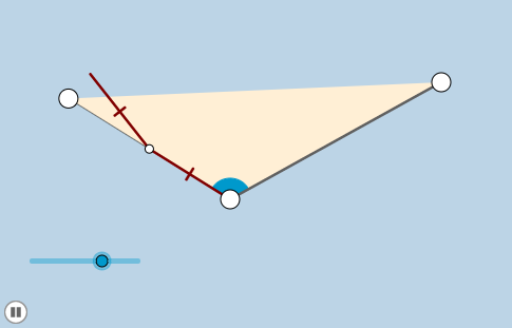
This example demonstrates the relationship between fractions and cylinders through animation, visually illustrating the geometric meaning of fractions. Core math concepts include fractions, cylinders, solid geometry, arithmetic operations, and integers. Construction highlights utilize GeoGebra commands/objects like Rays, Segments, Rotation, Angles, Points, Midpoints, Minimum, Circles, Intersections, CircleSectors, Lines, Polygons, Dilate, Vectors, and Translate. Suitable for middle school students and above learning solid geometry and fraction concepts, or for math teaching demonstrations.
GeoGebra Commands & Parameters
Ray(A, B) → fSegment(A, B) → gRotate(B, α, A) → B'Angle(B, A, B') → βRay(A, B') → hPoint(h) → CSegment(C, B) → iSegment(A, C) → jMidpoint(j) → DMidpoint(i) → ESegment(D, E) → kMidpoint(k) → FMin({j / 2, k / 2}) → aCircle(A, (0.35 * a)) → cIntersect(c, j, 1) → GIntersect(c, g, 1) → HCircleSector(A, H, G) → dLine(D, E) → lCircle(D, 2) → eCircle(E, 2) → pIntersect(e, l, 1) → IIntersect(p, l, 2) → JRay(D, I) → mRay(E, J) → nPolygon(A, B, C) → poly1, c_1, a_1, bDilate(A, If[0 < o ≤ 1, 1 - o, 0], B) → A'Segment(A, A') → qDilate(A, If[1 < o ≤ 2, 2 - o, 0], D) → A'_1Segment(A, A'_1) → rDilate(D, If[2 < o ≤ 3, 3 - o, 0], C) → D'Segment(D, D') → sRotate(A, If[3 < o ≤ 4, ((o - 3) * π), π], D) → A'_2Rotate(A'_1, If[3 < o ≤ 4, ((o - 3) * π), π], D) → KSegment(A'_2, K) → r'Dilate(B, If[4 < o ≤ 5, 5 - o, 0], E) → B'_1Segment(B, B'_1) → tDilate(E, If[5 < o ≤ 6, 6 - o, 0], C) → E'Segment(E, E') → f_1Rotate(B, If[6 < o ≤ 7, ((-(o - 6)) * π), (-π)], E) → B'_2Rotate(B'_1, If[6 < o ≤ 7, ((-(o - 6)) * π), (-π)], E) → LSegment(B'_2, L) → t'Dilate(D, If[7 < o ≤ 8, 8 - o, 0], F) → D'_1Segment(D, D'_1) → g_1Dilate(A, If[8 < o ≤ 9, 9 - o, 0], D) → A'_3Vector(A, A'_3) → uTranslate(d, u) → d'Dilate(F, If[9 < o ≤ 10, 10 - o, 0], E) → F'Segment(F, F') → h_1
AI Drawing Prompt Reference
Draw a triangle with a horizontal base, where one vertex lies on a ray extending from the base's left endpoint. Inside the triangle, draw a midsegment connecting the midpoints of the two sides, and mark its midpoint. From the left base endpoint, draw a small circle intersecting the base and one side, forming a small sector. Then, through a series of translations, rotations, and dilations, divide the triangle into several parts and animate them moving or rotating to illustrate the relationship between fractions and a cylinder. The figure includes multiple segments, circles, sectors, and dynamically changing points.
The prompt above was compiled from the original drawing commands and is for reference only.