
Fractal Curve 2: Iterated Semicircle Construction
Loading the math board and drawing, please wait…
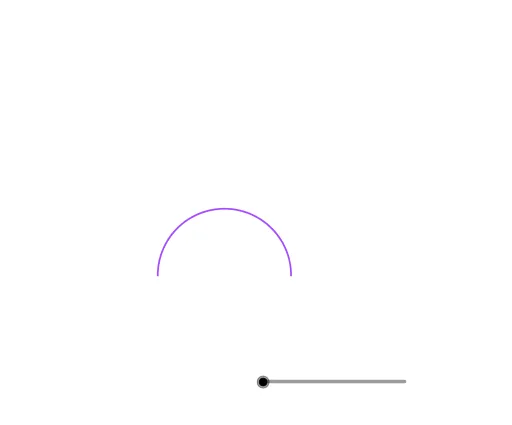
① This example demonstrates how a fractal curve with self-similar structure is generated by repeatedly scaling, rotating, and translating semicircles, a classic visualization in fractal geometry. ② Core mathematical concepts include self-similarity, iterative (recursive) construction, similarity transformations (dilation and rotation), and limit curves; it also involves basic geometric elements such as circles, semicircles, and intersection points. ③ Construction highlights: based on the construction summary, GeoGebra commands such as Intersect, Point, Semicircle, Dilate, and Rotate are used, with multiple objects (n, A, B, c, C, d, D, etc.) defined to generate successive layers of sub-semicircles (A1~A6 etc.), ultimately forming the fractal curve. ④ Suitable for high school and above, this example is ideal for introducing fractal geometry, teaching geometric transformations visually, and serving as a sample for mathematical modeling or computer graphics courses.
GeoGebra Commands & Parameters
Intersect(xAxis, yAxis) → APoint(xAxis) → BSemicircle(A, B) → cSemicircle(A, C) → dSemicircle(A, D) → eSemicircle(D, E) → fSemicircle(B, E) → gSemicircle(B, F) → hDilate(Rotate[{A1, B1, C1, D1, E1}, (-π) / 2], 0.5) → A2Dilate(Rotate[{A1, B1, C1, D1, E1}, π / 2], 0.5) → B2Rotate(Translate[B2, (0, 1)], (-π) / 2, D) → C2Rotate(Translate[A2, (1, 0)], π, B) → D2Rotate(Translate[A2, (1, 0)], π / 2, B) → E2Dilate(Rotate[{A2, B2, C2, D2, E2}, (-π) / 2], 0.500000000000002) → A3Dilate(Rotate[{A2, B2, C2, D2, E2}, π / 2], 0.500000000000002) → B3Rotate(Translate[B3, (0, 1)], (-π) / 2, D) → C3Rotate(Translate[A3, (1, 0)], π, B) → D3Rotate(Translate[A3, (1, 0)], π / 2, B) → E3Dilate(Rotate[{A3, B3, C3, D3, E3}, (-π) / 2], 0.500000000000004) → A4Dilate(Rotate[{A3, B3, C3, D3, E3}, π / 2], 0.500000000000004) → B4Rotate(Translate[B4, (0, 1)], (-π) / 2, D) → C4Rotate(Translate[A4, (1, 0)], π, B) → D4Rotate(Translate[A4, (1, 0)], π / 2, B) → E4Dilate(Rotate[{A4, B4, C4, D4, E4}, (-π) / 2], 0.500000000000006) → A5Dilate(Rotate[{A4, B4, C4, D4, E4}, π / 2], 0.500000000000006) → B5Rotate(Translate[B5, (0, 1)], (-π) / 2, D) → C5Rotate(Translate[A5, (1, 0)], π, B) → D5Rotate(Translate[A5, (1, 0)], π / 2, B) → E5Dilate(Rotate[{A5, B5, C5, D5, E5}, (-π) / 2], 0.500000000000008) → A6Dilate(Rotate[{A5, B5, C5, D5, E5}, π / 2], 0.500000000000008) → B6Rotate(Translate[B6, (0, 1)], (-π) / 2, D) → C6Rotate(Translate[A6, (1, 0)], π, B) → D6Rotate(Translate[A6, (1, 0)], π / 2, B) → E6
AI Drawing Prompt Reference
Draw a self-similar fractal curve built from iterated semicircles. Start with a semicircle whose diameter lies on the x-axis, defined by two points. Then repeatedly apply rotations, translations, and scaling to generate smaller semicircles branching from the original. Each iteration produces a set of five key points that define the next layer of semicircles, creating a nested, symmetric pattern. The final curve consists of many alternating semicircles, forming a delicate, spiral-like structure with infinite detail.
The prompt above was compiled from the original drawing commands and is for reference only.