
Forming Shapes with Triangles: Mirror Reflection and Polygon Construction
Loading the math board and drawing, please wait…
In collections
P3 3S2 製作三角形
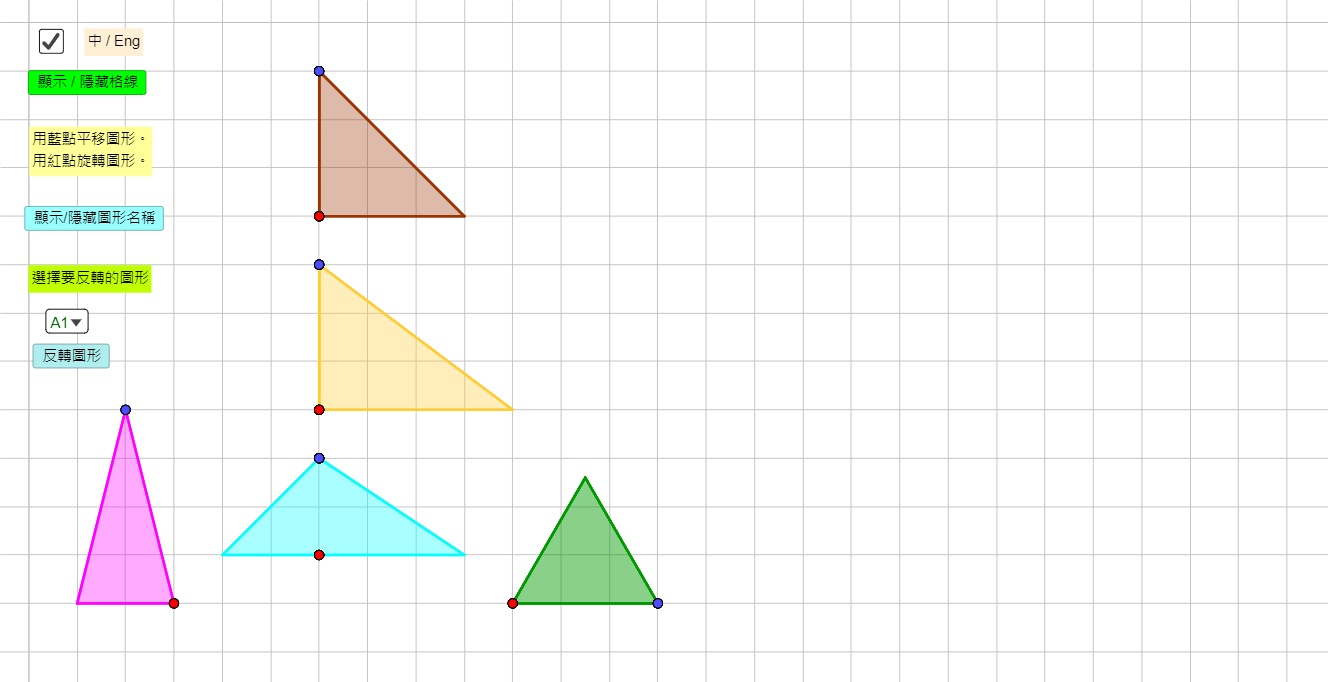
This example demonstrates how to build more complex planar figures by assembling triangles and applying mirror (reflection) transformations. The key mathematical ideas include triangle/polygon geometry, symmetry via reflection, and systematic organization of vertices and construction steps. In GeoGebra, the figure is constructed using Point to define key vertices, Polygon to create triangle and composite polygonal regions, Mirror to reflect selected parts across specified symmetry lines, and If combined with IndexOf for conditional logic that controls stepwise display. The workflow is supported by teaching interface elements such as Text instructions and buttons, alongside collections of reflected points/objects (e.g., ReflectA*/ReflectB*, A*P* sets) that generate the final tessellated structure. Suitable for middle and early high school geometry lessons and for guided visualization of geometric construction and transformation-based reasoning.
GeoGebra Commands & Parameters
Point(Circle[A1P1, 3]) → A1P2Polygon(A1P1, A1P2, A1P3) → A1, c, a, bPoint(Circle[A2P1, 3]) → A2P2Polygon(A2P1, A2P2, A2P3) → A2, c_1, a_1, b_1Mirror(A1P1, c) → A1P1'Mirror(A1P2, c) → A1P2'Mirror(A1P3, c) → A1P3'Polygon(A1P1', A1P2', A1P3') → A1', a1p3', a1p1', a1p2'IndexOf(SelectedElement[ListFig], ListFig) → ReflectFigIf(ShowChi, "選擇要反轉的圖形", "Select a figure to reflect") → TextInstSelectMirror(A2P1, c_1) → A2P1'Mirror(A2P2, c_1) → A2P2'Mirror(A2P3, c_1) → A2P3'Polygon(A2P1', A2P2', A2P3') → A2', a2p3', a2p1', a2p2'Point(Circle[A3P1, 3]) → A3P2Polygon(A3P1, A3P2, A3P3) → A3, c_2, a_2, b_2Mirror(A3P1, c_2) → A3P1'Mirror(A3P2, c_2) → A3P2'Mirror(A3P3, c_2) → A3P3'Polygon(A3P1', A3P2', A3P3') → A3', a3p3', a3p1', a3p2'Point(Circle[A4P1, 3]) → A4P2Polygon(A4P1, A4P2, A4P3) → A4, c_3, a_3, b_3Mirror(A4P1, c_3) → A4P1'Mirror(A4P2, c_3) → A4P2'Mirror(A4P3, c_3) → A4P3'Polygon(A4P1', A4P2', A4P3') → A4', c', a4p1', a4p2'Point(Circle[B1P1, 3]) → B1P2Polygon(B1P1, B1P2, B1P3) → B1, d, a_4, b_4Mirror(B1P1, d) → B1P1'Mirror(B1P2, d) → B1P2'Mirror(B1P3, d) → B1P3'Polygon(B1P1', B1P2', B1P3') → B1', b1p3', b1p1', b1p2'Point(Circle[B2P1, 3]) → B2P2Polygon(B2P1, B2P2, B2P3) → B2, c_4, a_5, b_5Mirror(B2P1, c_4) → B2P1'Mirror(B2P2, c_4) → B2P2'Mirror(B2P3, c_4) → B2P3'Polygon(B2P1', B2P2', B2P3') → B2', b2p3', a', b2p2'Point(Circle[B3P1, 3]) → B3P2Polygon(B3P1, B3P2, B3P3) → B3, c_5, a_6, b_6Mirror(B3P1, c_5) → B3P1'Mirror(B3P2, c_5) → B3P2'Mirror(B3P3, c_5) → B3P3'Polygon(B3P1', B3P2', B3P3') → B3', f, b3p1', b3p2'Point(Circle[B4P1, 3]) → B4P2Polygon(B4P1, B4P2, B4P3) → B4, d_1, a_7, b_7Mirror(B4P1, d_1) → B4P1'Mirror(B4P2, d_1) → B4P2'Mirror(B4P3, d_1) → B4P3'Polygon(B4P1', B4P2', B4P3') → B4', b4p3', b4p1', b4p2'Point(Circle[C1P1, 2]) → C1P2Polygon(C1P1, C1P2, C1P3) → C1, c_6, a_8, b_8Polygon(C1P1, C1P2, C1P4) → C1a, c1p4, c1p1, c1p2Mirror(C1P1, c_6) → C1P1'Mirror(C1P2, c_6) → C1P2'Mirror(C1P3, c_6) → C1P3'Polygon(C1P1', C1P2', C1P3') → C1', c1p3', c1p1', c1p2'Mirror(C1P1, c_6) → C1P1'_1Mirror(C1P2, c_6) → C1P2'_1Mirror(C1P4, c_6) → C1P4'Polygon(C1P1'_1, C1P2'_1, C1P4') → C1a', c1p4', c1p1'_1, c1p2'_1Point(Circle[C2P1, 2]) → C2P2Polygon(C2P1, C2P2, C2P3) → C2, c_7, a_9, b_9Polygon(C2P1, C2P2, C2P4) → C2a, c2p4, c2p1, c2p2Mirror(C2P1, c2p4) → C2P1'Mirror(C2P2, c2p4) → C2P2'Mirror(C2P4, c2p4) → C2P4'Polygon(C2P1', C2P2', C2P4') → C2a', c2p4', c2p1', c2p2'Mirror(C2P1, c2p4) → C2P1'_1Mirror(C2P2, c2p4) → C2P2'_1Mirror(C2P3, c2p4) → C2P3'Polygon(C2P1'_1, C2P2'_1, C2P3') → C2', c2p3', c2p1'_1, c2p2'_1Point(Circle[C3P1, 2]) → C3P2Polygon(C3P1, C3P2, C3P3) → C3, c_8, a_{10}, b_{10}Polygon(C3P1, C3P2, C3P4) → C3a, c3p4, c3p1, c3p2Mirror(C3P1, c_8) → C3P1'Mirror(C3P2, c_8) → C3P2'Mirror(C3P4, c_8) → C3P4'Polygon(C3P1', C3P2', C3P4') → C3a', c3p4', c3p1', c3p2'Mirror(C3P1, c_8) → C3P1'_1Mirror(C3P2, c_8) → C3P2'_1Mirror(C3P3, c_8) → C3P3'Polygon(C3P1'_1, C3P2'_1, C3P3') → C3', c3p3', c3p1'_1, c3p2'_1Point(Circle[C4P1, 2]) → C4P2Polygon(C4P1, C4P2, C4P3) → C4, c_9, a_{11}, b_{11}Polygon(C4P1, C4P2, C4P4) → C4a, c4p4, c4p1, c4p2Mirror(C4P1, c_9) → C4P1'Mirror(C4P2, c_9) → C4P2'Mirror(C4P4, c_9) → C4P4'Polygon(C4P1', C4P2', C4P4') → C4a', c4p4', c4p1', c4p2'Mirror(C4P1, c_9) → C4P1'_1Mirror(C4P2, c_9) → C4P2'_1Mirror(C4P3, c_9) → C4P3'Polygon(C4P1'_1, C4P2'_1, C4P3') → C4', c4p3', c4p1'_1, c4p2'_1Point(Circle[D1P1, 4.123105625617661]) → D1P2Polygon(D1P1, D1P2, D1P3) → D1, c_{10}, a_{12}, b_{12}Point(Circle[D2P1, 4.123105625617661]) → D2P2Polygon(D2P1, D2P2, D2P3) → D2, c_{11}, a_{13}, b_{13}Point(Circle[D3P1, 4.123105625617661]) → D3P2Polygon(D3P1, D3P2, D3P3) → D3, c_{12}, a_{14}, b_{14}Point(Circle[D4P1, 4.123105625617661]) → D4P2Polygon(D4P1, D4P2, D4P3) → D4, c_{13}, a_{15}, b_{15}Point(Circle[E1P1, 3]) → E1P2Polygon(E1P1, E1P2, E1P3) → E1, c_{14}, a_{16}, b_{16}Point(Circle[E2P1, 3]) → E2P2Polygon(E2P1, E2P2, E2P3) → E2, c_{15}, a_{17}, b_{17}Point(Circle[E3P1, 3]) → E3P2Polygon(E3P1, E3P2, E3P3) → E3, c_{16}, a_{18}, b_{18}Point(Circle[E4P1, 3]) → E4P2Polygon(E4P1, E4P2, E4P3) → E4, c_{17}, a_{19}, b_{19}Point(Circle[E5P1, 3]) → E5P2Polygon(E5P1, E5P2, E5P3) → E5, c_{18}, a_{20}, b_{20}Point(Circle[E6P1, 3]) → E6P2Polygon(E6P1, E6P2, E6P3) → E6, c_{19}, a_{21}, b_{21}
AI Drawing Prompt Reference
Draw a symmetric pattern composed of multiple triangles. First, create four separate triangles, each mirrored across one of its sides to form a reflected copy, resulting in four pairs of symmetric triangles. Then, create four more triangles, each also mirrored across one of its sides to form reflected copies, yielding four additional pairs of symmetric triangles. All triangles are of equal size and arranged in a regular grid, creating an overall symmetric and repetitive geometric design.
The prompt above was compiled from the original drawing commands and is for reference only.