
Figure 31 (Vectors)
Loading the math board and drawing, please wait…
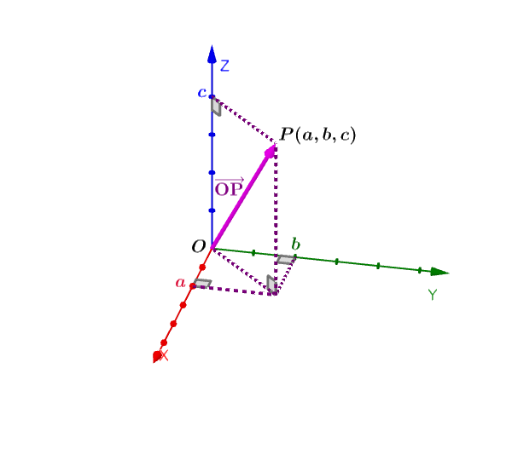
This example demonstrates the basic concepts of vectors and their applications in three-dimensional space. By constructing vectors, segments, and angles, it helps students understand vector addition, subtraction, and the representation of vectors in geometry. It uses commands like Vector, Segment, and Angle in GeoGebra. Suitable for high school and above students to learn about vector-related knowledge.
GeoGebra Commands & Parameters
Vector(O, P) → uSegment(P, B) → fSegment(B, C) → gSegment(B, A) → hSegment(P, D) → iSegment(O, B) → jAngle(P, B, O) → αSegment(O, A) → kAngle(B, A, O) → βSegment(O, D) → lSegment(O, C) → mAngle(O, D, P) → γAngle(B, C, O) → δSegment(P, O) → nMidpoint(n) → E
AI Drawing Prompt Reference
Draw a vector starting from the origin to point P in 3D space, then draw line segments from P to points B, C, and D. From B, draw line segments to points A and O. From O, draw line segments to points A, C, and D. Label the angles between points P, B, C, D, A, and O, and mark the midpoint of line segment PO.
The prompt above was compiled from the original drawing commands and is for reference only.