
Figure 37: Comprehensive 3D Vector Construction with Cone, Sphere, and Secant Li
Loading the math board and drawing, please wait…
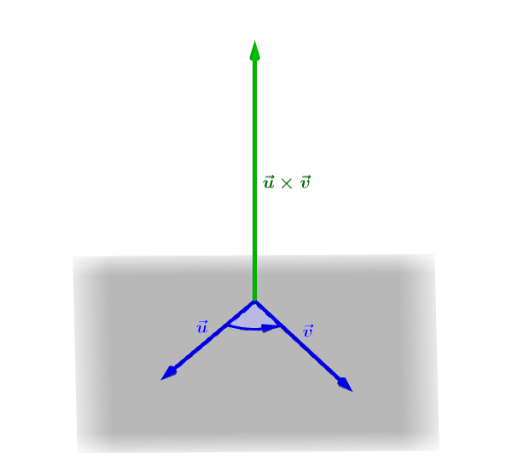
This example demonstrates a comprehensive geometric construction combining 3D vectors, a cone, a sphere, secant lines, and optimization-related elements. The core mathematical concepts include vector operations in three-dimensional space (such as vector addition, midpoint, and angles), geometric relationships between a cone and a sphere, secant lines intersecting these solids, and potential optimization problems. The construction uses GeoGebra commands: Vector, Segment, Midpoint, Angle, Line, Point, Intersect, and CircleSector, involving objects A, B, C, u, v, D, w, f, g, h, E, F, G, α, i, j, H, k, I, J, c, K, a, along with text labels text1 and its variants. This figure is suitable for high school or early university students to understand the interplay between 3D vectors and solid geometry, and to explore spatial relationships and optimization through dynamic geometry software.
GeoGebra Commands & Parameters
Vector(A, B) → uVector(A, C) → vVector(A, D) → wSegment(A, B) → fSegment(A, C) → gSegment(A, D) → hMidpoint(f) → EMidpoint(g) → FMidpoint(h) → GAngle(u, v) → αLine(A, B) → iLine(A, C) → jPoint(xAxis) → HLine(H, yAxis) → kIntersect(j, k) → IIntersect(i, k) → JCircleSector(A, I, J) → cPoint(c) → KVector(K, I) → a
AI Drawing Prompt Reference
Create a 3D geometric figure with a cone, a sphere, and two intersecting line segments. Start by drawing vectors u, v, and w from point A, then draw line segments f, g, and h, and find their midpoints E, F, and G. Next, calculate the angle between vectors u and v as α. Then, draw lines i and j, find their intersections with the y-axis at points H and I, and the intersection of line j with the y-axis at point J. Finally, draw a circular sector with points A, I, and J as the arc, and draw a vector a from point K.
The prompt above was compiled from the original drawing commands and is for reference only.