
Factorization of Natural Numbers
Loading the math board and drawing, please wait…
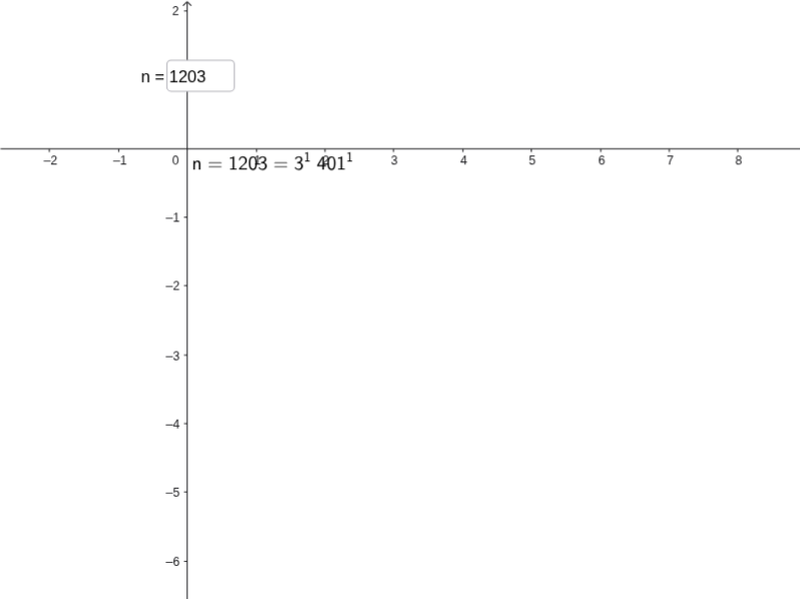
This example demonstrates how to input a natural number and display its prime factorization with powers in the worksheet. It's essentially a prettified output for prime factorization. The construction uses GeoGebra commands like PrimeFactors, Unique, Sequence, Text, and Textfield, along with objects such as n, factors, factors_u, factors_m, text, and inputBox1. It is suitable for middle school mathematics education, helping students understand the concept and method of prime factorization.
GeoGebra Commands & Parameters
PrimeFactors(n) → factorsUnique(factors) → factors_uSequence(CountIf[x ≟ Element[factors_u, i], factors], i, 1, Length[factors_u]) → factors_mText("n=" + n + "=" + (Sum[Sequence[Element[factors_u, i] + "^" + (Element[factors_m, i]) + "\;", i, 1, Length[factors_u]]]), (0, 0), true, true) → textTextfield(n) → inputBox1
AI Drawing Prompt Reference
Input a natural number to show its prime factorization with powers. First, input a number, then calculate its prime factors, extract unique prime factors, generate a sequence of prime factors and their powers, and finally display the number as the product of its prime factors raised to their respective powers in the coordinate system.
The prompt above was compiled from the original drawing commands and is for reference only.