
Exploring rotational symmetry of regular polygons
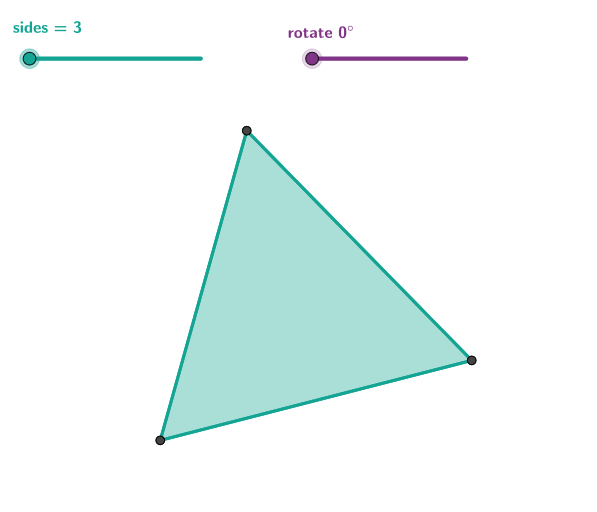
Loading the math board and drawing, please wait…
This example demonstrates the rotational symmetry of regular polygons using GeoGebra. Key mathematical concepts include symmetry, rotation, and geometric transformations. Construction involves commands like Intersect, Rotate, and Polygon. Suitable for middle or high school mathematics education to understand geometric symmetry and transformation operations.
GeoGebra Commands & Parameters
Intersect(xAxis, yAxis) → APoint(yAxis) → BCircle(A, B) → cPoint(c) → CSequence(Rotate[C, ((i * 2) * pi / n), A], i, 1, n) → vertPolygon(vert) → poly1Rotate(C, rot, A) → C'Line(C', A) → fMirror(poly1, f) → poly1'Vertex(poly1) → D, E, F, G, H, D_{1}, D_{2}, D_{3}Vertex(poly1') → I, J, K, L, M, N, P, QPoint(f) → OCircle(A, O) → dMirror(O, A) → O'Segment(O', O) → gCenter(c) → CT
AI Drawing Prompt Reference
Draw a regular polygon to demonstrate its rotational symmetry. Start by drawing the intersection point A of the x-axis and y-axis, and point B on the y-axis. Draw a circle c with A and B as its diameter. Then, take point C on circle c and rotate it n times, each time by 2π/n, to get the vertices of the regular polygon poly1. Next, rotate point C to get C', draw the line f through C' and A, and mirror polygon poly1 across line f to get poly1'. Finally, draw the center CT of circle c and its symmetric point O across circle c, and mirror point O to get line segment g.
The prompt above was compiled from the original drawing commands and is for reference only.