
Exploring Quadratic Polynomial Functions
Loading the math board and drawing, please wait…
This example demonstrates the properties of quadratic polynomial functions, particularly parabolas. It involves key mathematical concepts such as quadratic polynomial functions, parametric equations, and integers. Using GeoGebra commands like Polygon, AngularBisector, and Intersect, one can construct parabolas and related geometric objects. Suitable for high school mathematics education and students learning about quadratic polynomial functions.
GeoGebra Commands & Parameters
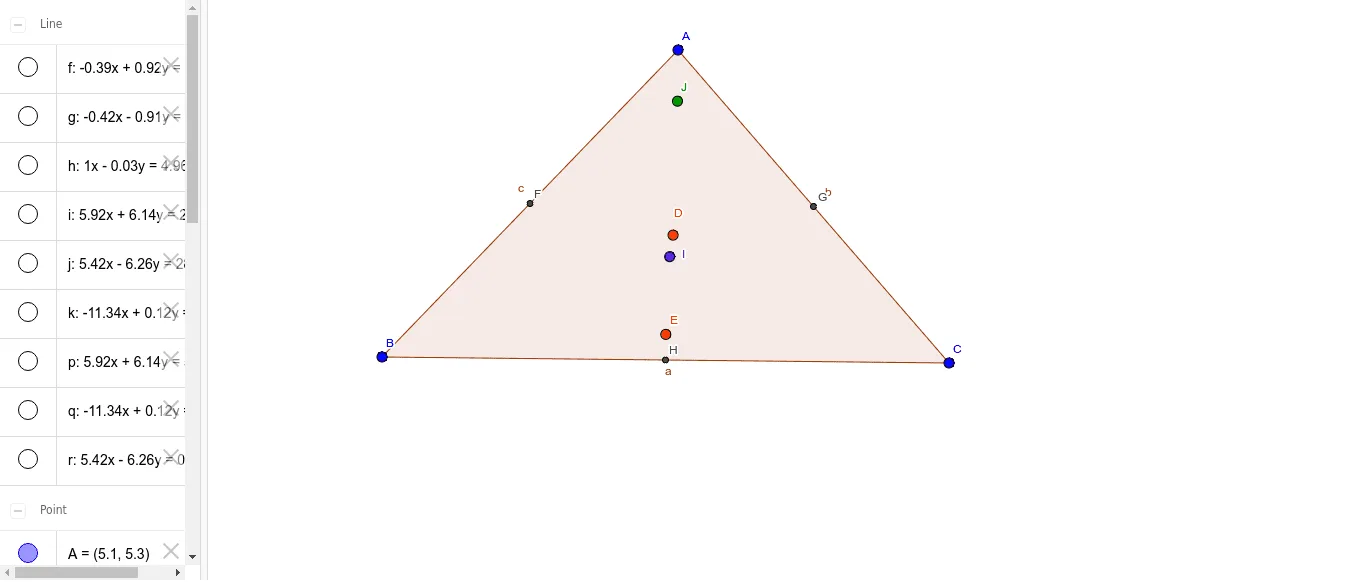
Polygon(A, B, C) → çokgen1, c, a, bAngularBisector(A, B, C) → fAngularBisector(A, C, B) → gAngularBisector(B, A, C) → hIntersect(f, g) → DLineBisector(c) → iLineBisector(b) → jLineBisector(a) → kIntersect(i, j) → EMidpoint(c) → FMidpoint(b) → GMidpoint(a) → HSegment(C, F) → lSegment(B, G) → mSegment(A, H) → nIntersect(l, m) → IOrthogonalLine(C, c) → pOrthogonalLine(A, a) → qOrthogonalLine(B, b) → rIntersect(p, q) → J
AI Drawing Prompt Reference
Draw a parabola showing its relationship with a triangle formed by three points. First, find the angle bisectors of the triangle and their intersection points to form part of the parabola. Then, draw the perpendicular bisectors of each side and locate their intersection points. Connect each vertex of the triangle to the midpoint of the opposite side to form three line segments. Finally, draw two perpendicular line segments and find their intersection point to complete the drawing.
The prompt above was compiled from the original drawing commands and is for reference only.