
Exploring Medians and Area of a Triangle
Loading the math board and drawing, please wait…
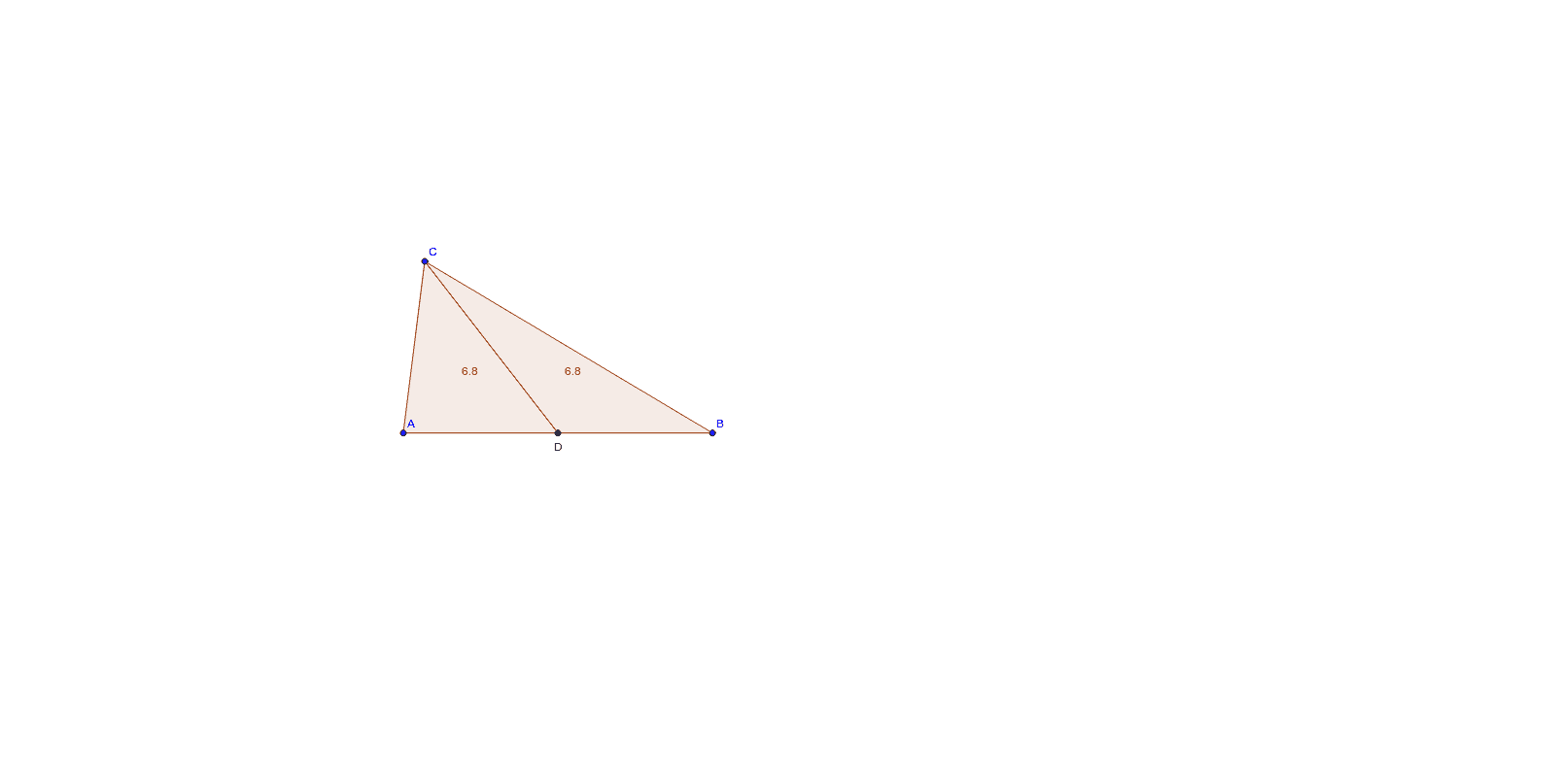
This example demonstrates how to explore the relationship between medians and area of a triangle using GeoGebra. Core mathematical concepts include median definition, triangle area calculation formulas, and geometric construction. Construction highlights involve using Segment, Midpoint commands, and Polygon to form the triangle, with objects like A, B, C, D, poly1, d_1, c_1, a_1, poly2, d_2, c_2, b_1. Suitable for middle school and above students to understand geometric constructions and area properties.
GeoGebra Commands & Parameters
Segment(C, B) → aSegment(C, A) → bSegment(A, B) → cMidpoint(c) → DSegment(C, D) → dPolygon(C, A, D) → poly1, d_1, c_1, a_1Polygon(C, B, D) → poly2, d_2, c_2, b_1
AI Drawing Prompt Reference
Draw a triangle and find the midpoint of one side. Connect this midpoint to the opposite vertex to form the medians of the triangle. Construct two smaller triangles using each median as one side and the vertices of the original triangle. Explore the relationship between the areas of these smaller triangles and the larger triangle to demonstrate the connection between medians and the area of a triangle.
The prompt above was compiled from the original drawing commands and is for reference only.