
Area of Kite by smm
Loading the math board and drawing, please wait…
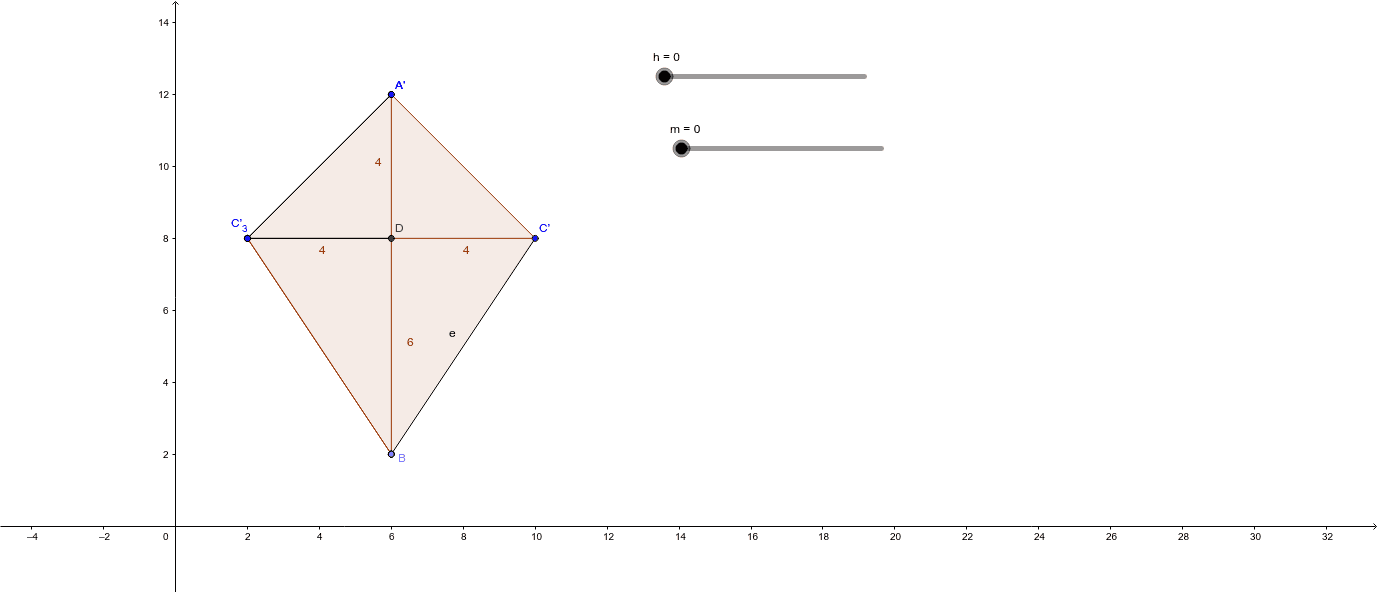
This example helps students discover the formula for the area of a kite through geometric construction. Key mathematical concepts include geometric construction and kite properties. It uses commands such as Line, Point, Segment, Mirror, Intersect, Polygon, Rotate, Midpoint, OrthogonalLine, and Angle in GeoGebra. Suitable for middle school and above students.
GeoGebra Commands & Parameters
Line(A, yAxis) → aPoint(a) → BSegment(C, A) → bSegment(C, B) → c_3Mirror(C, a) → C'Segment(A, C') → dSegment(C', B) → eSegment(A, B) → fSegment(C, C') → gIntersect(f, g) → DPolygon(C, D, B) → poly1, b_1, c_1, d_1Polygon(D, C', B) → poly2, b_2, d_2, c'Polygon(A, D, C') → poly3, c'_1, a_1, d_3Polygon(A, C, D) → poly4, d_4, a_2, c_2Rotate(C, h, B) → C'_1Rotate(D, h, B) → D'Rotate(B, h, B) → B'Mirror(C, c_3) → C'_2Mirror(D, c_3) → D'_1Mirror(B, c_3) → B'_1Midpoint(c_3) → EMidpoint(e) → FOrthogonalLine(E, c_3) → iOrthogonalLine(F, e) → jIntersect(i, j) → GRotate(C'_2, h, G) → HRotate(D'_1, h, G) → IRotate(B'_1, h, G) → JPolygon(H, I, J) → poly1'', j_1, h_1, i_1Angle(B, G, C') → cMirror(A, b) → A'Mirror(C, b) → C'_3Mirror(D, b) → D'_2Polygon(A', C'_3, D'_2) → poly4', d'_2, a', c'_3Midpoint(b) → KMidpoint(d_3) → LOrthogonalLine(K, b) → kOrthogonalLine(L, d_3) → lIntersect(k, l) → MAngle(A, M, C) → zRotate(A', (-m), M) → A''Rotate(C'_3, (-m), M) → NRotate(D'_2, (-m), M) → OPolygon(A'', N, O) → poly4'', o, a'', nSegment(A, C'_3) → pSegment(D, C) → q
AI Drawing Prompt Reference
Draw a kite shape with a vertical axis of symmetry. Place a point on the axis as the top vertex)Skip, and another point off the axis to form one side of the kite. Reflect the off-axis point across the axis to get its mirror, then connect the mirror to the vertex and the original point to complete the upper half. Connect the two off-axis points, intersecting the axis at a point. Use this intersection, the off-axis point, and the mirror to form two triangles, and use the vertex, intersection, and both off-axis points to form two more triangles, completing the kite. Then rotate and reflect these triangles to create multiple copies, construct circumcenters for each triangle, and rotate/reflect again to generate symmetric variants. Finally, connect key points with segments to illustrate the relationship between the kite's area and the triangle areas.
The prompt above was compiled from the original drawing commands and is for reference only.