
Exploring Circle Circumference, Area, and Sectors
Loading the math board and drawing, please wait…
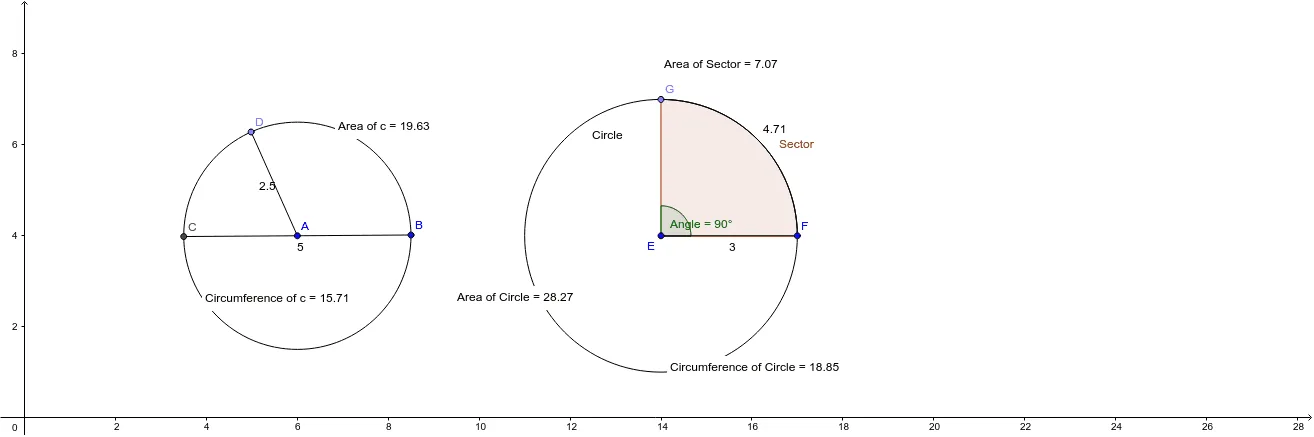
This interactive GeoGebra applet demonstrates the fundamental properties of circles, specifically focusing on the derivation of circumference and area formulas, as well as the proportional relationship between a sector's arc length/area and the entire circle. The construction employs key commands such as Circle, CircleSector, and CircleArc to create the geometry, while Angle and Intersect are used to define precise sector boundaries. The use of dynamic Points and Text objects allows for real-time visualization of mathematical changes. This tool is ideal for middle school students and educators to visualize the geometric logic behind circle measurements.
GeoGebra Commands & Parameters
Circle(A, B) → cArea(c) → aPointIn(c) → Pointc_1Circumference(c) → circumferencecPointIn(c) → PointcLine(A, B) → bIntersect(c, b, 2) → CSegment(C, B) → dPoint(c) → DSegment(D, A) → eCircle(E, F) → CirclePoint(Circle) → GCircleSector(E, F, G) → SectorArea(Sector) → hPointIn(Sector) → PointgSegment(E, F) → gAngle(F, E, G) → AngleArea(Circle) → fPointIn(Circle) → PointCircle_1Circumference(Circle) → circumferenceCirclePointIn(Circle) → PointCircleCircleArc(E, F, G) → Arc
AI Drawing Prompt Reference
Draw a circle and display its area and circumference values. Choose a point on the circle, draw a line through the center, intersect it with the circle to define a radius segment, and label the segment. Inside the same circle, create a sector, show its area and arc length, place a random point inside the sector, and label the angle that defines the sector. All measurements should update dynamically.
The prompt above was compiled from the original drawing commands and is for reference only.