
Estimating Pi with Random Rain
Loading the math board and drawing, please wait…
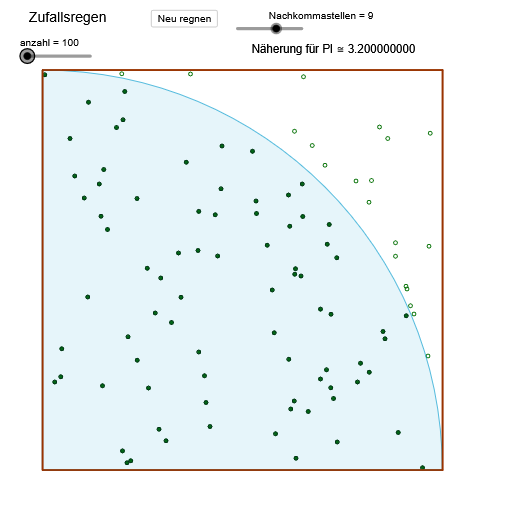
This example estimates the value of Pi by simulating the probability of random raindrops falling inside a circle. Key mathematical concepts include probability and geometry. It uses commands like Sequence, Sum, Intersect, Circle, Polygon, CircleSector, and RemoveUndefined in GeoGebra. Suitable for high school math education and learning probability.
GeoGebra Commands & Parameters
Sequence((random(), random()), i, 1, anzahl) → PunkteSequence(If[sqrt((x(Element[Punkte, i]))^(2) + (y(Element[Punkte, i]))^(2)) ≤ 1, 1, 0], i, 1, Length[Punkte]) → TrefferlisteSum(Trefferliste) → trefferIntersect(xAxis, yAxis) → ACircle(A, 1) → cPolygon(A, (1, 0), 4) → Vieleck1, a, b, d, e, B, CCircleSector(A, D, C) → fSequence(Mod[floor((etwapi * 10^(i))), 10], i, 1, Nachkommastellen) → ziffernSum(Sequence[(Element[ziffern, i] * 10^(Nachkommastellen - i)), i, 1, Nachkommastellen]) → nachkommaSequence(If[abs(Element[Punkte, k]) ≤ 1, Element[Punkte, k]], k, 1, Length[Punkte]) → TRemoveUndefined(T) → Treffer
AI Drawing Prompt Reference
Draw a unit circle centered at the origin and a square with side length 2, with the circle's center coinciding with the square's center. Randomly generate many points and check how many fall inside the circle. Use the number of points inside the circle to estimate the value of pi.
The prompt above was compiled from the original drawing commands and is for reference only.