
Equilateral Triangles Between Curves
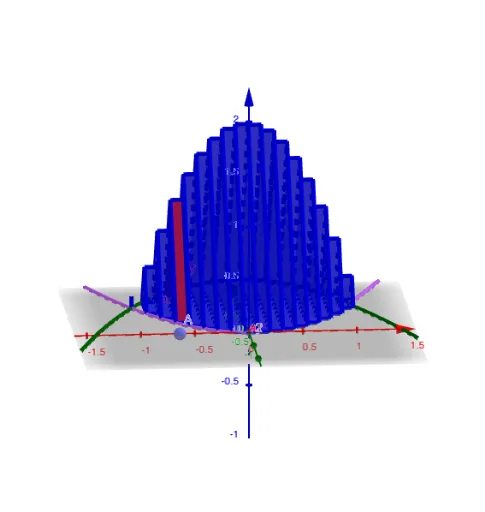
Loading the math board and drawing, please wait…
This example demonstrates how to construct equilateral triangles between two curves. Core math concepts include properties of equilateral triangles, coordinate geometry, and geometric constructions. It utilizes GeoGebra commands and objects like Point, Polygon, Segment, Textfield, Prism, Sequence, and elements such as y1, y2, dx, A, poly1, radius. Suitable for high school students and educators exploring the relationship between curves and geometric shapes.
GeoGebra Commands & Parameters
Point(xAxis) → APolygon((x(A), y2(x(A)), 0), (x(A), y1(x(A)), 0), 3, xAxis) → poly1Segment((x(A), axle(x(A)) - radius(x(A))), (x(A), axle(x(A)) + radius(x(A)))) → baseTextfield(y1) → InputBox1Prism(poly1, dx) → a, B, edge3, edge4, edge5, edge6, C, D, face1, face2, face3, face4, edge1, edge2Textfield(y2) → InputBox2Textfield() → InputBox3Textfield() → InputBox4Sequence(Prism[Polygon[(t, y2(t), 0), (t, y1(t), 0), 3, xAxis], dx], t, L, R, dx) → slices