
Barycentric Curve with Powers of a, b, c
Loading the math board and drawing, please wait…
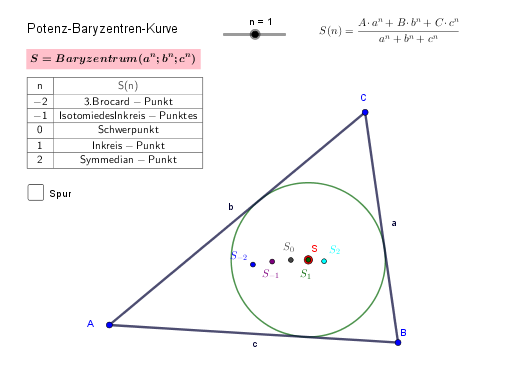
This example demonstrates the construction of a barycentric curve using the centroid and vertices of a triangle, involving concepts like centroid, power, logarithm, rectangle, arithmetic mean, and multiplication. It utilizes GeoGebra commands such as Polygon, TableText, CurveCartesian, and Incircle for the construction, making it suitable for high school mathematics students and teachers exploring geometric and algebraic relationships.
GeoGebra Commands & Parameters
Polygon(A, B, C) → d1, c, a, bTableText({{A1, B1}, {A2, B2}, {A3, B3}, {A4, B4}, {A5, B5}, {A6, B6}}, "|_cc") → Text3CurveCartesian(((A * a^(u)) + (B * b^(u)) + (C * c^(u))) / (a^(u) + b^(u) + c^(u)), u, -100, 100) → QIncircle(A, B, C) → d
AI Drawing Prompt Reference
Draw a triangle ABC, then construct its incircle using A, B, and C as vertices. Next, create a barycentric curve using the coordinates of A, B, and C and the power of u, where the x-coordinate is (A*a^u + B*b^u + C*c^u) / (a^u + b^u + c^u) and the y-coordinate is u, with u ranging from -100 to 100.
The prompt above was compiled from the original drawing commands and is for reference only.