
Building Quadratic Functions from Geometric Patterns
Loading the math board and drawing, please wait…
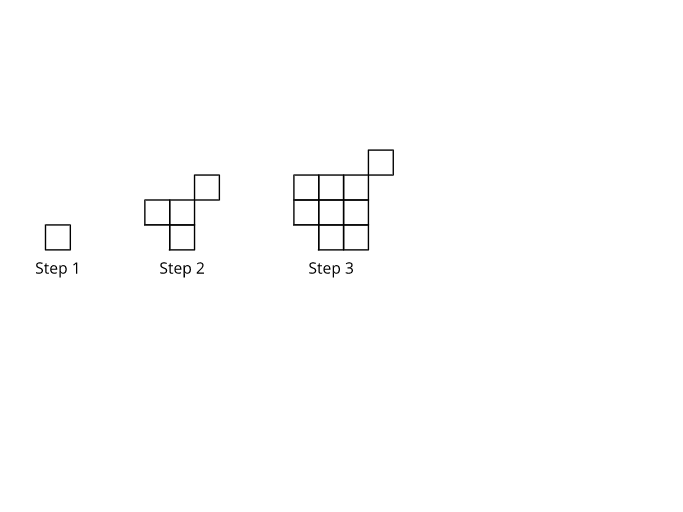
This GeoGebra practice demonstrates how to construct a quadratic function by starting from a geometric pattern—using measurements and relationships arising from shapes such as right triangles (and related step-like/geometric progression behavior) to infer the underlying algebraic rule. It focuses on core ideas of quadratic functions and their graphs, translating geometric quantities into algebraic expressions, working with rational-number data, and using linear equations to determine parameters (coefficients) of the quadratic. The construction typically proceeds by creating a family of geometric figures, extracting key lengths or point coordinates that reflect the pattern, setting up equations that link those measurements to a quadratic model, solving for the coefficients, and then graphing the resulting function to verify the match with the geometric data. Since no explicit GeoGebra construction commands were provided, the relevant object/command workflow is: build the geometric configuration (e.g., right-triangle pattern), measure and define variables/relationships, compute parameters via equation solving, and display the quadratic curve using function graphing. Suitable for middle and high school learning, function modeling activities, and instruction on moving from geometry to algebra.
AI Drawing Prompt Reference
Draw a geometric pattern consisting of a series of right triangles, measure the lengths of the legs of each triangle, find the relationships between these lengths, and establish a quadratic function to represent the pattern of these lengths. Use these measurements and relationships to calculate the coefficients of the quadratic function, then plot the graph of this quadratic function to verify if it matches the length relationships in the geometric pattern.
The prompt above was compiled from the original drawing commands and is for reference only.