
Equations (Level 3) – Integrated Geometry and Algebra Exploration
Loading the math board and drawing, please wait…
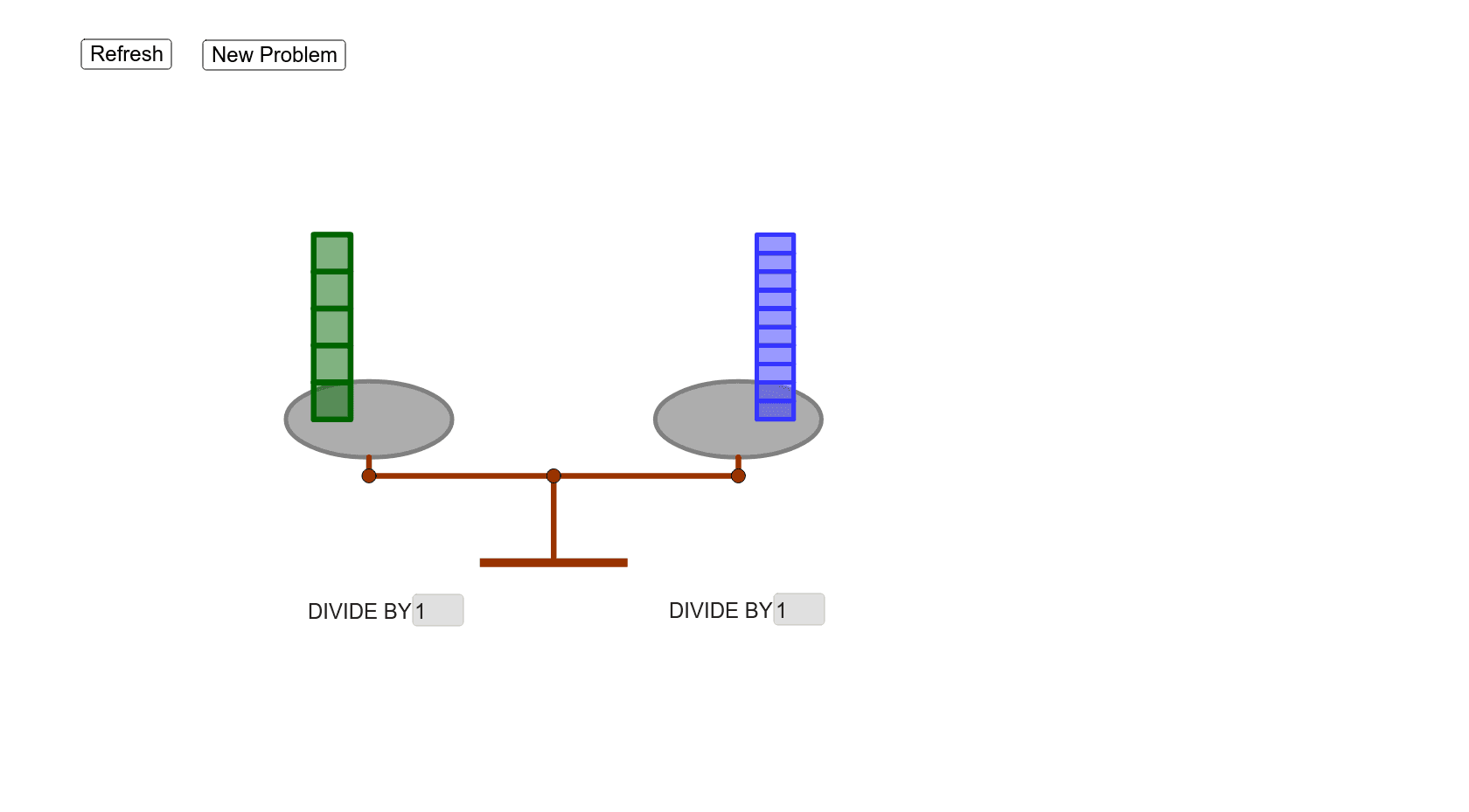
①This example demonstrates a composite geometric figure involving ellipses, polygons, segments, intersection points, midpoints, and text fields, designed as a level-3 equation practice. ②Core mathematical concepts include solving equations, properties of ellipses and polygons, relationships among points and segments, combinatorics, standard deviation, indefinite integrals, and planes, making it a multi-topic integrated activity. ③Construction highlights: from the summary, it uses GeoGebra commands such as If, Ellipse, Segment, Intersect, Point, Polygon, Midpoint, Sequence, and Textfield, creating numerous objects (dr, u, ul, r, dl, pul, mul, fmul, UL, fmur, mur, pur, ur, fmr, mr, pr, l, fml, L, ml, pl, R, UR, B, c, d, a, A, b, C, A', C', e, f, g, D, E, poly2, i, j) to achieve complex geometric construction and algebraic linkage. ④It is suitable for high school or early college students to explore the interplay between equations and geometric figures, and also serves as a reference for teachers creating interactive math lessons that foster dynamic understanding of algebra-geometry connections.
GeoGebra Commands & Parameters
If((u * UL) ≟ R, 0, If[(u * UL) ≥ R, -1, 1]) → BEllipse((-3, B), (-7, B), 2.25) → cEllipse((3, (-B)), (7, (-B)), 2.25) → dSegment((-5, B), (-5, -3)) → aIntersect(c, a) → A,Segment((5, (-B)), (5, -3)) → bIntersect(d, b) → C,Segment(A, A') → eSegment(C, C') → fSegment(A', C') → gIntersect(yAxis, g) → DPoint(yAxis) → EPolygon((10.455803599971945, 4.428079038697364), (11.45154195318282, 4.426628459182624), (11.45154195318282, 4.926628459182623), (10.455803599971945, 4.928079038697364)) → poly2, i, j, k, mSegment(D, E) → hPolygon(F, G, H, I) → poly3, f_1, g_1, h_1, i_1Midpoint(J, M) → OSequence(Polygon[(-4.5, B - 0.5 + t / 2), (-3.5, B - 0.5 + t / 2), (-3.5, B + t / 2), (-4.5, B + t / 2)], t, 1, L, 1) → list1Polygon((-11.445852088028492, 4.308916490437969), (-10.445852088028493, 4.308916490437969), (-10.445852088028493, 4.8089164904379675), (-11.445852088028492, 4.8089164904379675)) → poly4, n, p, q, sPolygon((-10.543680266275816, -2.544527077316755), (-10.543680266275816, -1.5445270773167552), 4) → poly1Polygon((11.557939744940192, -2.5558711836942214), (11.557939744940192, -1.5558711836942218), 4) → poly1_3Polygon((-10.806626137271166, 7.362992675821548), (-9.806626137271168, 7.362992675821548), (-9.806626137271168, 7.8629926758215465), (-10.806626137271166, 7.8629926758215465)) → poly4_1, n_1, p_1, q_1, s_1Polygon((-10.806626137271166, 7.362992675821548), (-9.806626137271168, 7.362992675821548), (-9.806626137271168, 7.8629926758215465), (-10.806626137271166, 7.8629926758215465)) → poly4_2, n_2, p_2, q_2, s_2Sequence(Polygon[(-6.5, B - 1 + t), (-5.5, B - 1 + t), 4], t, 1, UL, 1) → list3Sequence(Polygon[(3.5, (-B) - 1 + t), (4.5, (-B) - 1 + t), 4], t, 1, UR, 1) → list4Sequence(Polygon[(5.5, (-B) - 0.5 + t / 2), (6.5, (-B) - 0.5 + t / 2), (6.5, (-B) + t / 2), (5.5, (-B) + t / 2)], t, 1, R, 1) → list2Textfield(fml) → input_fmlTextfield(fmr) → InputBox1Textfield(fmul) → InputBox2Textfield(fmur) → InputBox3Textfield(dl) → InputBox4Textfield(dr) → InputBox5