
Dynamic Rectangular Prism: Exploring Volume and Faces
Loading the math board and drawing, please wait…
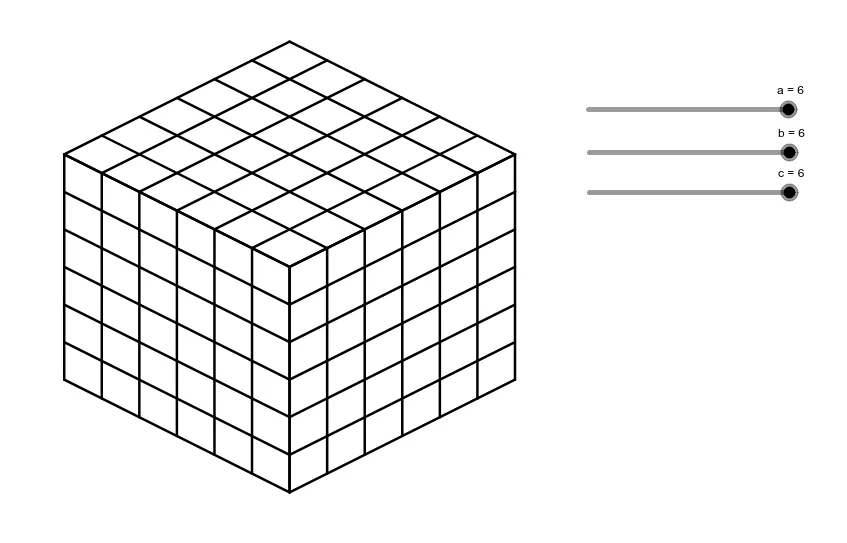
① This example demonstrates a dynamic rectangular prism whose dimensions can be adjusted interactively, allowing users to visualize how changes in length, width, and height affect the shape and volume. ② Core mathematical concepts include solid geometry (prisms, rectangular boxes), volume calculation, relationships between plane figures (rectangular faces) and 3D solids, with additional connections to random variables and boxplots for statistical exploration. ③ Construction highlights: The GeoGebra commands use Sequence to generate objects (a, b, c, and lists list1 through list6), likely defining vertices, edges, or faces of the prism, with sliders controlling dimensions for real-time manipulation. ④ Suitable for middle and high school geometry classes, as well as introductory college mathematics, this interactive tool aids in understanding spatial reasoning, volume formulas, and geometric construction, and can serve as a basis for inquiry-based learning or math lab activities.
GeoGebra Commands & Parameters
Sequence(Segment[(n, a - n / 2), (n, ((-n)) / 2)], n, 0, b) → list1Sequence(Segment[(n + b, ((-b)) / 2 + n / 2), (n + b, ((-b)) / 2 + n / 2 + a)], n, 0, c) → list2Sequence(Segment[(0, a - n), (b, ((-b)) / 2 - n + a)], n, 0, a) → list3Sequence(Segment[(b, ((-b)) / 2 + n), (b + c, ((-b)) / 2 + n + c / 2)], n, 0, a) → list4Sequence(Segment[(n, ((-n)) / 2 + a), (n + c, c / 2 - n / 2 + a)], n, 0, b) → list5Sequence(Segment[(n, a + n / 2), (n + b, a + n / 2 - b / 2)], n, 0, c) → list6
AI Drawing Prompt Reference
Draw a dynamic rectangular prism by adjusting its length, width, and height with three sliders. First, draw the four edges of the base, then draw the four edges of each of the four sides, and finally connect the four edges of the top face to form a complete rectangular prism.
The prompt above was compiled from the original drawing commands and is for reference only.