
Xmaths 2020 Tiling Animation: Translating Rhombuses Forming Cubes
Loading the math board and drawing, please wait…
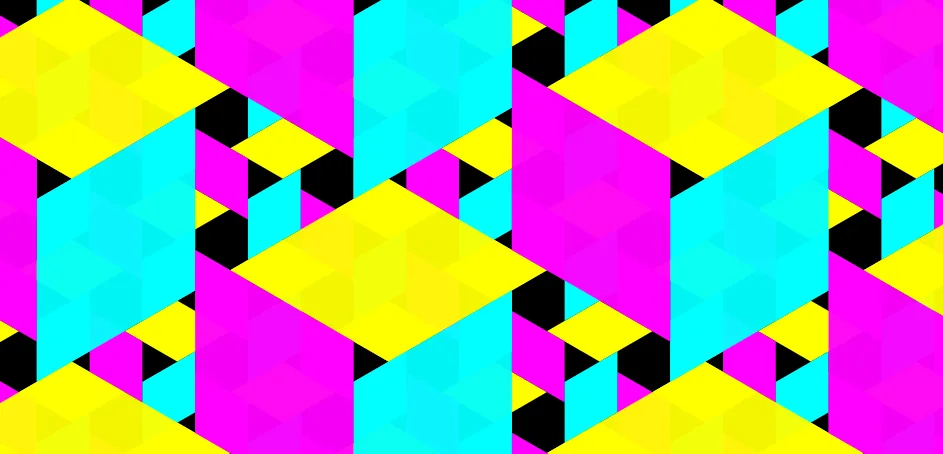
This example demonstrates an animated tiling process where translating rhombuses assemble into different cube-like structures, visually illustrating how 2D shapes can be transformed in space to build 3D forms. Core mathematical concepts include rhombus geometry, cube and cuboid structures, translation transformations, sequence generation, and rational number ratios. The construction uses GeoGebra commands such as Polygon to create the base rhombus, Centroid to locate centers, Sequence and Dilate to generate scaled or repeated elements, and Translate to move shapes along vectors, producing the dynamic tiling effect. Key objects include polygons, points O, A, B, C, and various auxiliary points and segments, with sliders or sequences controlling the animation frames. This resource is suitable for high school or early university students studying spatial geometry, transformations, and combinatorics, and serves as an engaging visual demonstration for classroom teaching or self-exploration.
GeoGebra Commands & Parameters
Polygon(O, A, B, C) → q1, o, a, b, cPolygon(O, E, 6) → poly1, g, I, h, j, k, l, m, F, G, HCentroid(q1) → DSequence(Translate[{q1, Translate[{q1}, (2 * C)]}, Vector[((i * k) * B) + ((i * q(d)) * B)]], k, (-n), n, 1) → l3Dilate(O, 3) → O'Dilate(A, 3) → A'Dilate(B, 3) → B'Dilate(C, 3) → C'Polygon(O', A', B', C') → q1', o', a', b', c'Sequence(Translate[{q1', Translate[{q1'}, (6 * C)]}, Vector[(((i * 3) * k) * B) + ((i * q(d)) * B)]], k, (-n), n, 1) → l4Sequence(Translate[l4, (0, (6 * k))], k, -2, 2) → lj4Translate(Rotate[lj4, (-(120°))], (3 * B) - (3 * C)) → lb5Translate(Rotate[lj4, 120°], (3 * B) + (3 * J) - (3 * C)) → lr6Sequence(Translate[l3, (0, (2 * k))], k, -8, 8) → l1Translate(Rotate[l1, 120°], B + J - C) → l8Translate(Rotate[l1, (-(120°))], B - C) → l7
AI Drawing Prompt Reference
Create an animation of a cube-like structure formed by translating rhombuses. Start by drawing a rhombus OABC, then generate multiple rhombuses through translation and rotation, and scale them to create larger rhombuses. Next, use translation and rotation to form the cube-like structure. Finally, adjust parameters to create a dynamic effect, showing how rhombuses translate and rotate in space to form a cube.
The prompt above was compiled from the original drawing commands and is for reference only.