
Dynamic Illustration of Angle Relationship Between Two Tangents to a Circle
Loading the math board and drawing, please wait…
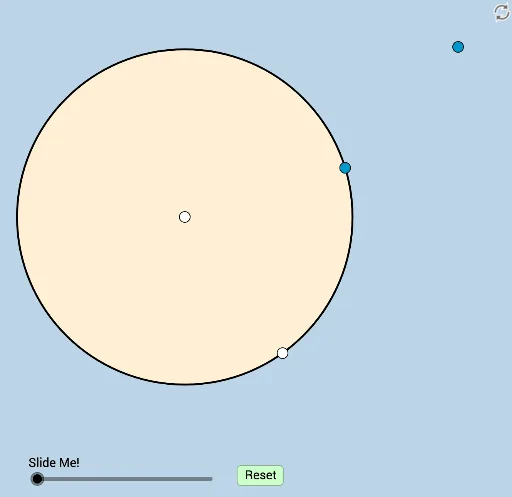
This GeoGebra example dynamically illustrates a geometric relationship between two angles formed by two tangents drawn to a circle)Skip. It demonstrates how the angle between the tangents relates to angles inside the circle, involving concepts such as tangent properties, inscribed angles, central angles, and arithmetic operations like mean and subtraction. The construction uses commands including Circle, Segment, PointIn, Semicircle, Intersect, CircleArc, Midpoint, LineBisector, Point, Line, Angle, Dilate, Ray, Rotate, CircleSector, Vector, and Translate, with sliders for dynamic manipulation. Suitable for middle and high school geometry classes, this interactive tool helps students explore and verify the angle relationships in tangent-circle configurations.
GeoGebra Commands & Parameters
Circle(A, B) → cSegment(A, B) → fPointIn(b) → CSemicircle(A, C) → dSemicircle(C, A) → eIntersect(c, d, 1) → DIntersect(c, e, 1) → ESegment(C, D) → gSegment(C, E) → hCircleArc(A, E, D) → kSegment(D, E) → iMidpoint(i) → GLineBisector(i) → jIntersect(k, j, 1) → FCircleArc(A, E, F) → pPoint(p) → HLine(C, H) → lSegment(F, D) → mSegment(F, E) → nSegment(H, G) → qSegment(H, E) → rSegment(H, D) → sIntersect(l, i) → IAngle(D, H, G) → αAngle(I, H, E) → βDilate(C, If[0 < a ≤ 1, 1 - a, 0], D) → C'Dilate(C, If[0 < a ≤ 1, 1 - a, 0], E) → C'_1Segment(C, C') → tSegment(C, C'_1) → f_1Line(C, D) → g_1Line(C, E) → h_1Circle(D, 3) → c_1Circle(E, 3) → d_1Intersect(c_1, g_1, 2) → JIntersect(d_1, h_1, 2) → KRay(D, J) → i_1Ray(E, K) → j_1Angle(J, D, A) → γAngle(A, E, K) → δDilate(A, If[1 < a ≤ 2, 2 - a, 0], D) → A'Dilate(A, If[1 < a ≤ 2, 2 - a, 0], E) → A'_1Segment(A, A') → k_1Segment(A, A'_1) → l_1Dilate(D, If[2 < a ≤ 3, 3 - a, 0], G) → D'Segment(D, D') → m_1Dilate(G, If[3 < a ≤ 4, 4 - a, 0], E) → G'Segment(G, G') → n_1Rotate(D, If[4 < a ≤ 5, ((a - 4) * π), π], G) → D'_1Rotate(D', If[4 < a ≤ 5, ((a - 4) * π), π], G) → D''Segment(D'_1, D'') → p_1Circle(H, (0.4 * q)) → e_1Intersect(e_1, s) → L,Dilate(H, If[5 < a ≤ 6, 6 - a, 0], E) → H'Dilate(H, If[5 < a ≤ 6, 6 - a, 0], D) → H'_1Dilate(H, If[5 < a ≤ 6, 6 - a, 0], G) → H'_2Segment(H, H'_1) → q_1Segment(H, H'_2) → r_1Segment(H, H') → s_1Dilate(C, If[6 < a ≤ 7, 7 - a, 0], I) → C'_2Segment(C, C'_2) → t_1Rotate(L, If[7 < a ≤ 8, ((a - 7) * α), α], H) → L'CircleSector(H, L, L') → c_2Midpoint(H, C) → MDilate(H, If[8 < a ≤ 9, 9 - a, 0], M) → H'_3Vector(H, H'_3) → uTranslate(c_2, u) → d_2Line(M, s_1) → a_1Line(M, r_1) → b_1Intersect(b_1, k_1) → NIntersect(f_1, a_1) → OAngle(N, M, O) → εRotate(d_2, If[9 < a ≤ 10, ((a - 9) * ε), ε], M) → e_2Dilate(M, If[10 < a ≤ 11, 11 - a, 0], H) → M'Vector(M, M') → vTranslate(e_2, v) → f_2
AI Drawing Prompt Reference
Draw a circle and two tangents to the circle, marking their intersection point. Create two semicircles with the intersection point as the center, intersecting the circle at four points. Connect the intersection point to these points to form two line segments. Draw an arc with one of the segments as the chord. Find the perpendicular bisector of this segment, which intersects the arc at a point. Connect the intersection point to this point to form another line segment. Draw another arc with this segment as the chord. Locate the intersection point on this new arc and connect it to the previous intersection point. Finally, draw two rays from the center through the new intersection point and the previous intersection point, forming two angles.
The prompt above was compiled from the original drawing commands and is for reference only.