
Random Protractor Practice: Measuring and Constructing Angles
Loading the math board and drawing, please wait…
In collections
Some terms & definitions. Angles, angle pairs, angle measure
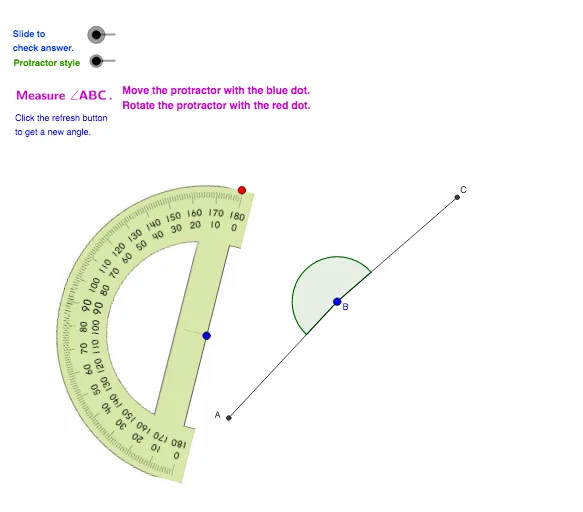
This interactive GeoGebra applet randomly generates rays and target angles, then has learners practice measuring those angles with a protractor and checking their answers. It demonstrates the direct link between geometric angle positions and protractor scale readings, highlighting how rotating rays changes the measured angle. The key math concepts are angle measurement, rays and angle formation, geometric construction using intersections, and rotational transformation to place a given angle correctly; angle-related notation and representations are used throughout. Construction is built from GeoGebra commands such as Circle, Line, Intersect, Rotate, Angle, Segment, and Point, producing the protractor reference (e.g., protractor/protrac2), the bounding lines (rays), auxiliary intersection points, rotated configurations, and the displayed angle (Angle object with multiple angle variables). Suitable for middle school geometry lessons and self-paced practice focused on reading angles accurately, understanding angle construction, and reinforcing spatial reasoning.
GeoGebra Commands & Parameters
Circle(B, a) → cLine(B, xAxis) → bIntersect(c, b, 2) → C_1Rotate(C_1, α, B) → CAngle(C_1, B, C) → βSegment(B, C) → dRotate(C, γ, B) → AAngle(C, B, A) → δSegment(B, A) → eCircle(D, f) → gPoint(g) → ERotate(E, (-ε), D) → E'Angle(E', D, E) → ζRotate(E, 184°, D) → E'_1Angle(E, D, E'_1) → ηCircle(F, protrac2) → hPoint(h) → GRotate(G, (-adjust), F) → G'Angle(G', F, G) → θRotate(G, adjust + 180°, F) → G'_1Angle(G, F, G'_1) → ι
AI Drawing Prompt Reference
This is a geometry practice graphic with a ray and a target angle. Learners need to measure the angle and check their answers. The graphic shows how rotating rays affects angle measurement. Key objects include the ray, angle measurement tool, auxiliary intersection points, rotated configurations, and the displayed angle. The construction order starts from the initial ray, through rotation and angle calculations, to help understand angle measurement and geometric construction.
The prompt above was compiled from the original drawing commands and is for reference only.