
Dynamic Geometry of a Special Isosceles Triangle (GoGeometry Action 43!)
Loading the math board and drawing, please wait…
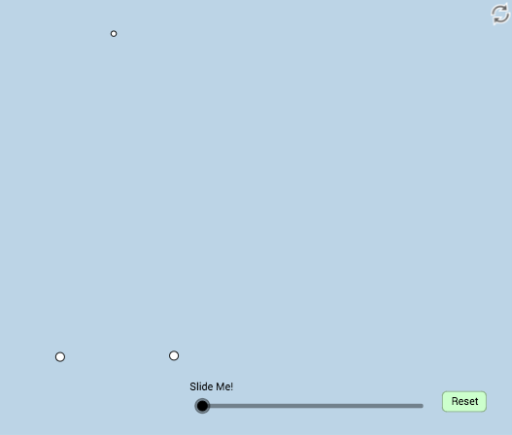
This example dynamically illustrates a geometry problem involving a special isosceles triangle, inspired by a tweet from Antonio Gutierrez. The core mathematical concepts include properties of isosceles triangles, parallelograms, rotation and dilation transformations, and trigonometric relationships among angles. The construction uses GeoGebra commands such as Rotate, Angle, Segment, Ray, Intersect, Circle, LineBisector, Dilate, Polygon, CircleSector, Midpoint, Vector, Translate, and CircleArc, creating numerous objects (points A, B, C, D, E, F, G, H, I, J, K, L, M, N, etc.), lines, circles, angle bisectors, dilated figures, and sectors. Dynamic sliders (α, β, γ, δ) allow interactive exploration of the configuration. It is suitable for high school or early college students studying geometric transformations and special triangle properties, and serves as an engaging classroom demonstration tool.
GeoGebra Commands & Parameters
Rotate(B, (80 * π / 180), A) → B'Angle(B, A, B') → αRotate(A, (-80 * π / 180), B) → A'Angle(A, B, A') → βSegment(A, B) → fRay(A, B') → gRay(B, A') → hIntersect(g, h) → CSegment(A, C) → iSegment(C, B) → jRotate(B, π / 3, C) → B'_1Segment(B, B'_1) → kSegment(C, B'_1) → lRotate(B, π / 9, C) → B'_2Angle(B, C, B'_2) → γRotate(B'_2, π / 9, C) → DAngle(B'_2, C, D) → δRay(C, B'_2) → mRay(C, D) → nIntersect(k, m) → EIntersect(k, n) → FCircle(C, (0.2 * j)) → cIntersect(c, j, 1) → GIntersect(c, i, 1) → HSegment(C, E) → pSegment(C, F) → qIntersect(c, p, 1) → IIntersect(c, q, 1) → JCircle(B, A) → dIntersect(d, i) → K, LIntersect(d, j, 1) → MLineBisector(i) → rIntersect(r, j) → NDilate(A, If[0 < a ≤ 1, 1 - a, 0], B) → A'_1Dilate(C, If[0 < a ≤ 1, 1 - a, 0], B) → H'Segment(C, H') → tRotate(C, If[1 < a ≤ 2, (((-(a - 1)) * 20) * π / 180), (-20 * π / 180)], C) → C'Rotate(H', If[1 < a ≤ 2, (((-(a - 1)) * 20) * π / 180), (-20 * π / 180)], C) → H''Segment(C', H'') → t'Dilate(A, If[2 < a ≤ 3, 3 - a, 0], B) → A'_2Segment(A, A'_2) → sPolygon(A, B, C) → poly1, c_1, a_1, bRotate(C, If[3 < a ≤ 4, ((a - 3) * π / 3), π / 3], C) → C'_1Rotate(H', If[3 < a ≤ 4, ((a - 3) * π / 3), π / 3], C) → H''_1Segment(C'_1, H''_1) → t'_1Rotate(C, If[4 < a ≤ 5, ((-(a - 4)) * π / 3), ((-π)) / 3], B) → C'_2Rotate(H', If[4 < a ≤ 5, ((-(a - 4)) * π / 3), ((-π)) / 3], B) → H''_2Segment(C'_2, H''_2) → t'_2Polygon(C, B, B'_1) → poly2, b'_1, c_2, b_1Intersect(c, l) → O,Dilate(C, If[5 < a ≤ 6, 6 - a, 0], E) → C'_3Dilate(C, If[5 < a ≤ 6, 6 - a, 0], F) → C'_4Segment(C, C'_3) → eSegment(C, C'_4) → f_1CircleSector(C, J, O) → d_1Rotate(d_1, If[7 < a ≤ 8, (((-(a - 7)) * 20) * π / 180), (-20 * π / 180)], C) → e_1Rotate(e_1, If[9 < a ≤ 10, (((-(a - 9)) * 20) * π / 180), (-20 * π / 180)], C) → g_1Rotate(g_1, If[11 < a ≤ 12, (((-(a - 11)) * 20) * π / 180), (-20 * π / 180)], C) → h_1Midpoint(C, A) → PDilate(C, If[12.5 < a ≤ 13.5, 13.5 - a, 0], P) → C'_5Vector(C, C'_5) → uTranslate(h_1, u) → k_1Rotate(k_1, If[13.5 < a ≤ 14.5, (((a - 13.5) * 160) * π / 180), (160 * π / 180)], P) → p_1Dilate(A, If[14.5 < a ≤ 15.5, 15.5 - a, 0], N) → A'_3Segment(A, A'_3) → i_1Dilate(P, If[15.5 < a ≤ 16.5, 16.5 - a, 0], A) → P'Vector(P, P') → vTranslate(p_1, v) → q_1Rotate(A, If[16.5 < a ≤ 17.5, (((-(a - 16.5)) * 80) * π / 180), (-80 * π / 180)], B) → A'_4Segment(B, A'_4) → j_1CircleArc(B, A'_4, A) → r_1Angle(L, B, A) → εSegment(B, L) → l_1Polygon(A, C, N) → poly3, n_1, a_2, c_3Polygon(A, N, B) → poly4, b_2, a_3, n_2Dilate(A, If[18.5 < a ≤ 19.5, 19.5 - a, 0], L) → A'_5Vector(A, A'_5) → wSegment(A, A'_5) → m_1Dilate(L, If[19.5 < a ≤ 20.5, 20.5 - a, 0], M) → L'Vector(L, L') → u_1Translate(A, u_1) → A'_6Translate(A'_5, u_1) → QSegment(A'_6, Q) → s_1Rotate(A'_6, If[20.5 < a ≤ 21.5, (((-(a - 20.5)) * 160) * π / 180), (-160 * π / 180)], M) → RRotate(Q, If[20.5 < a ≤ 21.5, (((-(a - 20.5)) * 160) * π / 180), (-160 * π / 180)], M) → Q'Segment(R, Q') → t_1
AI Drawing Prompt Reference
Draw a special isosceles triangle with a vertex angle of 80 degrees and base angles of 50 degrees. From the vertex, draw two rays extending to the base line, intersecting at a point beyond the base, forming a larger triangle. On one side of the base, construct an equilateral triangle, and from the base endpoint draw two rays inside it, intersecting the equilateral triangle's sides. Connect these intersection points to the base endpoint. With the midpoint of the base as center, draw a circle with radius a fraction of the base length, intersecting the triangle sides and internal segments; mark these intersections. Then, with the base endpoint as center and the base length as radius, draw another circle intersecting the triangle sides. Construct the perpendicular bisector of the base, intersecting the other leg. Finally, use a slider to control a sequence of rotations, dilations, and segment translations, dynamically showing transformations of the internal structure.
The prompt above was compiled from the original drawing commands and is for reference only.