
Dynamic Geometry Illustration: Centroid and Orthocenter of a Triangle
Loading the math board and drawing, please wait…
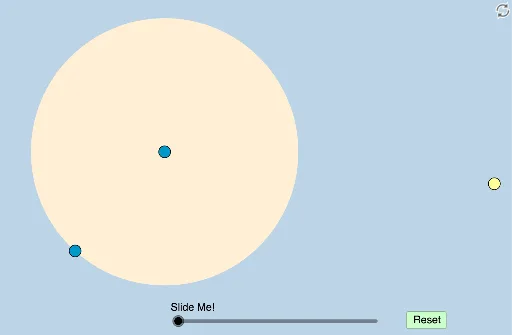
This example dynamically demonstrates the geometric relationship between the centroid and orthocenter of a triangle. It involves core concepts such as centroid, orthocenter, vector, transformation, and geometric construction. The construction uses commands and objects like Circle, PointIn, Semicircle, Intersect, Line, Angle, Dilate, Midpoint, Segment, Rotate, Ray, CircleSector, Vector, and Translate. Suitable for high school students and math enthusiasts studying geometric properties and dynamic demonstrations.
GeoGebra Commands & Parameters
Circle(A, B) → cDistance(A, B) → aPointIn(b) → C_1Semicircle(A, C_1) → dSemicircle(C_1, A) → eIntersect(c, d, 1) → D_1Intersect(c, e, 1) → CLine(C_1, C) → fLine(C_1, D_1) → gLine(C, g) → hIntersect(c, h) → F, DLine(C_1, D) → iIntersect(c, i, 2) → ELine(C, E) → jIntersect(g, j) → GAngle(A, D_1, G) → αAngle(C_1, C, A) → βDilate(C_1, If[0 < k ≤ 1, 1 - k, 0], G) → HMidpoint(C, C_1) → IDilate(C_1, If[0 < k ≤ 1, 1 - k, 0], I) → JSegment(C_1, J) → lSegment(C_1, H) → mDilate(G, If[0 < k ≤ 1, 1 - k, 0], G) → G'Dilate(A, If[1 < k ≤ 2, 2 - k, 0], D_1) → A'Dilate(A, If[1 < k ≤ 2, 2 - k, 0], C) → A'_1Segment(A, A') → nSegment(A, A'_1) → pDilate(G, If[1 < k ≤ 2, 2 - k, 0], D_1) → G'_1Dilate(I, If[1 < k ≤ 2, 2 - k, 0], C) → I'Segment(G, G'_1) → qSegment(I, I') → rRotate(A, 90°, C) → A'_2Angle(A, C, A'_2) → γRay(C, A'_2) → sCircle(C_1, (0.4 * Distance[C_1, G])) → tAngle(G, C_1, C) → δIntersect(i, h) → KDilate(C, If[3 < k ≤ 4, 4 - k, 0], K) → C'Segment(C, C') → f_1Intersect(t, m) → L,Rotate(L, If[4 < k ≤ 5, ((k - 4) * δ), δ], C_1) → L'CircleSector(C_1, L, L') → c_1Dilate(C_1, If[5.5 < k ≤ 6.5, 6.5 - k, 0], C) → MVector(C_1, M) → uTranslate(c_1, u) → d_1Dilate(K, If[6 < k ≤ 7, 7 - k, 0], E) → K'Segment(K, K') → g_1Dilate(E, If[7 < k ≤ 8, 8 - k, 0], C_1) → E'Segment(E, E') → h_1Dilate(C, If[8.5 < k ≤ 9.5, 9.5 - k, 0], E) → C'_1Segment(C, C'_1) → i_1Dilate(E, If[9.5 < k ≤ 10.5, 10.5 - k, 0], G) → E'_1Segment(E, E'_1) → j_1Segment(C_1, G) → k_1Segment(G, D_1) → l_1Rotate(C_1, If[11.5 < k ≤ 12.5, ((-(k - 11.5)) * π), (-π)], G) → NRotate(G, If[11.5 < k ≤ 12.5, ((-(k - 11.5)) * π), (-π)], G) → G'_2Segment(N, G'_2) → m_1
AI Drawing Prompt Reference
Draw a triangle and dynamically demonstrate the relationship between its centroid and orthocenter. First, construct the triangle and find its vertices, then use circles and semicircles to locate the midpoints of the sides and the feet of the altitudes. Next, draw the altitudes and angle bisectors, identifying the centroid and orthocenter. Finally, apply scaling and rotation to show the dynamic relationship between the centroid and orthocenter, and use vectors to represent the positions involved.
The prompt above was compiled from the original drawing commands and is for reference only.