
Dynamic Construction of Ellipse and Triangle Orthocenter
Loading the math board and drawing, please wait…
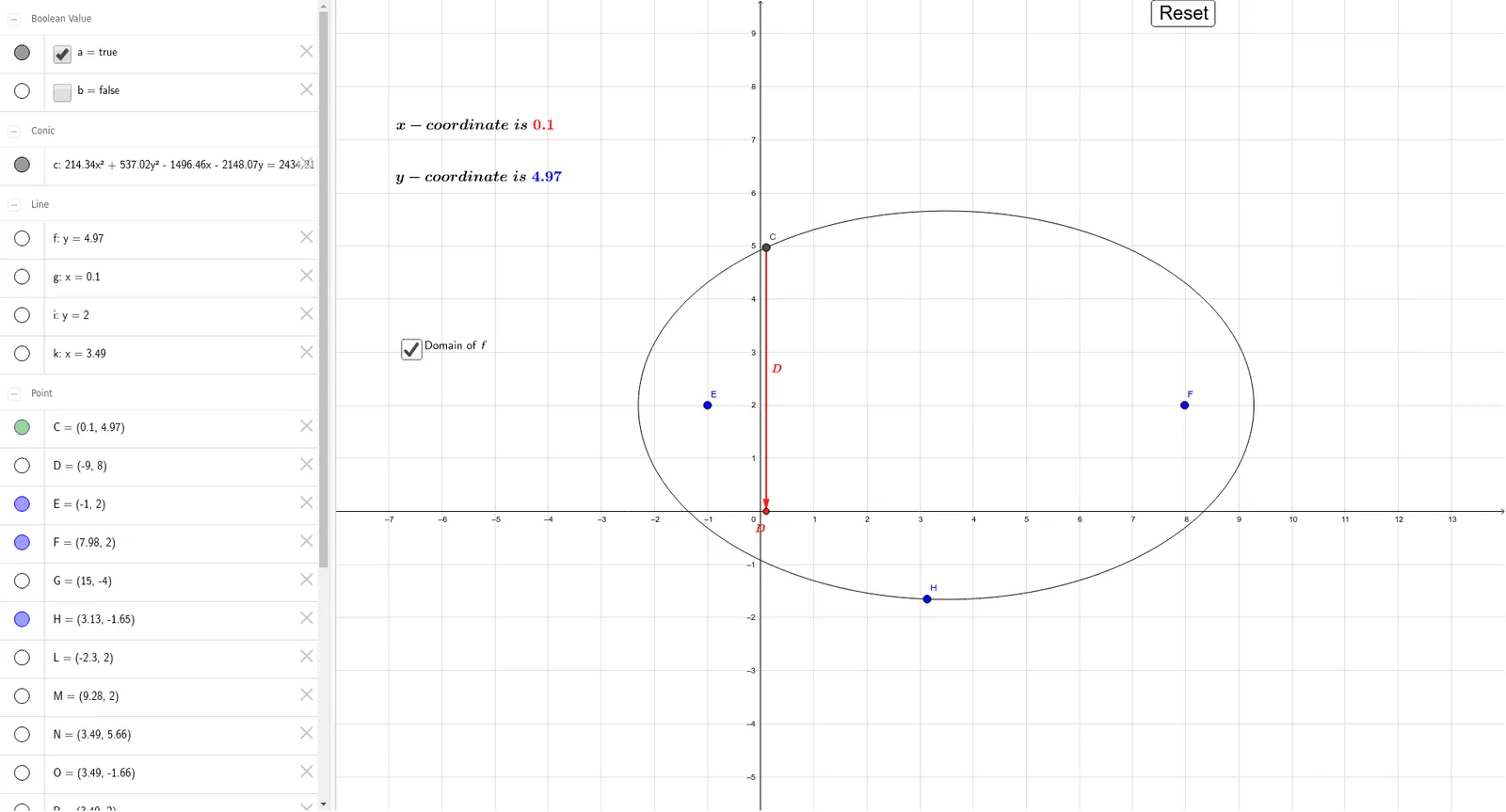
This GeoGebra example demonstrates a dynamic geometric construction involving an ellipse, a triangle, and its orthocenter, built using commands such as Line, Point, Ellipse, Diameter, Intersect, and Vector. The core mathematical concepts include the definition and properties of an ellipse, the orthocenter of a triangle (intersection of its three altitudes), the relationship between diameters and vectors, and the interplay among multiple geometric objects. The construction uses lines and points to define the base elements, an ellipse generated via the Ellipse command, diameters determined with the Diameter command, intersections found via Intersect, and vectors constructed with Vector. The object list includes the ellipse E, lines i, c, k, f, g, points D, G, H, F, C, O, Z, Q, S, T, parameters a and b, a button (button1), and text objects text1 and text2. This example is suitable for high school or early college students to explore the geometric properties of ellipses and triangle orthocenters, and can serve as an interactive teaching resource in dynamic geometry, allowing users to observe changes through button interactions.
GeoGebra Commands & Parameters
Line(E, (x(E) + 1, y(E))) → iPoint(i) → FEllipse(E, F, H) → cDiameter(i, c) → kIntersect(c, i) → L, MIntersect(c, k) → N, OPoint(c) → CLine(C, (x(C) + 1, y(C))) → fLine(C, (x(C), y(C) + 1)) → gIntersect(i, k) → RVector(C, Z) → QVector(C, S) → T