
Dynamic Illustration of Median & Circles
Loading the math board and drawing, please wait…
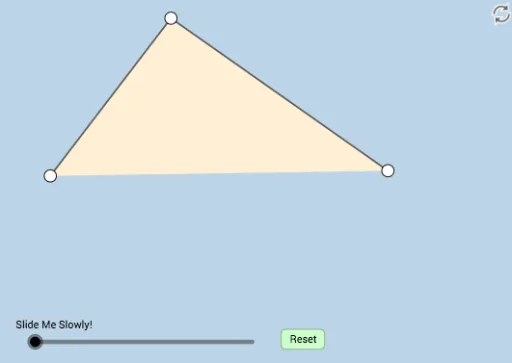
This example dynamically illustrates a not-often-seen theorem involving a triangle's median and two circles. It covers core math concepts like medians, circles, and geometric transformations. Construction uses commands such as Polygon, Segment, Midpoint, Dilate, Rotate, Point, Circle, Line, Intersect, Ray, Angle, and CircleArc. Suitable for high school and above students to understand geometric transformations and theorem applications.
GeoGebra Commands & Parameters
Polygon(A, C, B) → poly1, c, a, bSegment(B, A) → fSegment(B, C) → gMidpoint(A, C) → MDilate(A, If[0 < d ≤ 1, 1 - d, 0], M) → A'Segment(A, A') → hRotate(A, If[1 < d ≤ 2, ((d - 1) * π), π], M) → A'_1Rotate(A', If[1 < d ≤ 2, ((-(d - 1)) * π), (-π)], M) → A''Segment(A'_1, A'') → h'Dilate(B, If[2 < d ≤ 3, 3 - d, 0], M) → C'Segment(B, C') → iSegment(B, M) → jSegment(A, C) → kPoint(k) → DMidpoint(D, A) → ESegment(A, C) → lCircle(E, D) → eMidpoint(D, C) → FCircle(F, D) → pLine(B, D) → mIntersect(e, m, 2) → GIntersect(p, m, 2) → HSegment(M, G) → nSegment(M, H) → qCircle(B, 1) → rCircle(H, 1) → sIntersect(s, m, 2) → JIntersect(r, m, 1) → KRay(H, J) → tRay(B, K) → f_1Dilate(B, If[4 < d ≤ 5, 5 - d, 0], D) → B'Segment(B, B') → g_1Angle(D, E, G) → αAngle(C, F, H) → βRotate(D, If[5 < d ≤ 6, ((d - 5) * α), α], E) → D'CircleArc(E, D, D') → c_1Rotate(G, If[6 < d ≤ 7, ((d - 6) * ((2 * π) - α)), (2 * π) - α], E) → D'_1CircleArc(E, G, D'_1) → d_1Rotate(C, If[7 < d ≤ 8, ((d - 7) * β), β], F) → C'_1CircleArc(F, C, C'_1) → e_1Rotate(H, If[8 < d ≤ 9, ((d - 8) * ((2 * π) - β)), (2 * π) - β], F) → H'CircleArc(F, H, H') → k_1Angle(H, M, G) → γDilate(M, If[9 < d ≤ 10, 10 - d, 0], H) → M'Segment(M, M') → i_1Dilate(M, If[10 < d ≤ 11, 11 - d, 0], G) → M'_1Segment(M, M'_1) → j_1Rotate(M, If[11 < d ≤ 12, ((-(d - 11)) * ((2 * π) - γ)), (-((2 * π) - γ))], M) → M'_2Rotate(M', If[11 < d ≤ 12, ((-(d - 11)) * ((2 * π) - γ)), (-((2 * π) - γ))], M) → M''Segment(M'_2, M'') → l_1Ray(B, D) → h_1Point(h_1) → IRay(D, I) → m_1
AI Drawing Prompt Reference
Draw a triangle with a midpoint on one side. From this midpoint, create a dynamic segment whose length varies with a parameter, and rotate and scale the triangle's vertices around the midpoint to form auxiliary points. Pick a point on one side, and construct two circles centered at the midpoints between this point and the side's endpoints. Mark the intersections of these circles with the median line. Connect the midpoint to these intersections with segments. Then draw small circles centered at a vertex and a point, and construct rays. Finally, use rotations and dilations to create arcs and angles, illustrating the geometric relationship between the median and the circles.
The prompt above was compiled from the original drawing commands and is for reference only.