
Dynamic Angle Relationships in an Incircle of Any Triangle (GoGeometry Action 78
Loading the math board and drawing, please wait…
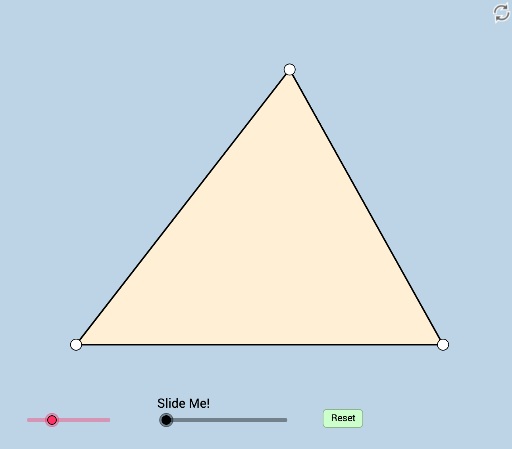
This GeoGebra example dynamically explores the modifiable relationships among angles formed when an incircle is constructed within any triangle. It demonstrates how the incircle, its tangency points, and associated angle bisectors create interconnected angle measures that change as the triangle is altered. Core mathematical concepts include properties of incircles, angle bisectors, inscribed angles, and geometric transformations such as rotation, dilation, and translation. The construction uses GeoGebra commands like Segment, Ray, Circle, Intersect, OrthogonalLine, Rotate, Dilate, and Angle to build the triangle, its incircle, and auxiliary elements, while sliders or drag points allow real-time modification. This resource is ideal for high school and college students, teachers, and self-learners interested in dynamic geometry, offering a hands-on way to investigate invariant angle relationships and the power of interactive construction.
GeoGebra Commands & Parameters
Segment(A, B) → fRotate(A, (a * π / 180), B) → A'Ray(B, A') → gPoint(g) → CAngle(C, A, B) → γRotate(C, γ / 2, A) → C'Ray(A, C') → kSegment(C, A) → iSegment(B, C) → hAngle(A, B, A') → αRotate(A, α / 2, B) → A'_1Ray(B, A'_1) → jIntersect(j, k) → HSegment(H, C) → j_1Segment(A, H) → nOrthogonalLine(H, n) → qIntersect(q, i) → MSegment(H, M) → i_1Circle(B, (0.5 * Min[{f, h, i_1, j_1}])) → cAngle(A, B, A'_1) → βIntersect(c, f, 1) → DIntersect(c, j, 1) → EAngle(C, A, C') → δCircle(A, Radius[c]) → dIntersect(d, i) → F,Intersect(d, k) → G,OrthogonalLine(H, f) → lOrthogonalLine(H, f) → mIntersect(f, m) → IAngle(H, I, B) → εSegment(H, C) → pPoint(q) → JAngle(J, H, C) → ζAngle(A, H, J) → ηDilate(B, If[0 < b ≤ 1, 1 - b, 0], H) → B'Segment(B, B') → rDilate(A, If[1 < b ≤ 2, 2 - b, 0], H) → A'_2Dilate(A, If[1 < b ≤ 2, 2 - b, 0], H) → A'_3Segment(A, A'_3) → sCircleSector(B, D, E) → eCircleSector(A, F, G) → tRotate(e, If[2 < b ≤ 3, ((b - 2) * β), β], B) → e'Rotate(t, If[3 < b ≤ 4, ((b - 3) * γ / 2), γ / 2], A) → t'Dilate(H, If[4 < b ≤ 5, 5 - b, 0], I) → B'_1Segment(H, B'_1) → f_1Dilate(H, If[5 < b ≤ 6, 6 - b, 0], I) → H'Circle(H, H') → c_1Intersect(c_1, h) → K, OIntersect(c_1, i) → L, NDilate(H, If[6 < b ≤ 7, 7 - b, 0], C) → H'_1Segment(H, H'_1) → g_1Dilate(M, If[8 < b ≤ 9, 9 - b, 0], H) → M'Segment(M, M') → h_1Line(B, j_1) → k_1Point(k_1) → PAngle(C, B, P) → θDilate(B, If[9.5 < b ≤ 10.5, 10.5 - b, 0], H) → B'_2Vector(B, B'_2) → uTranslate(e', u) → e''Rotate(e'', If[10.5 < b ≤ 11.5, ((b - 10.5) * θ), θ], H) → e'''Polygon(B, A, C) → poly1, c_2, b_1, a_1
AI Drawing Prompt Reference
Draw a triangle ABC, then construct an incircle inside it, marking the points of tangency D and E with the sides, and the intersection point H of the angle bisectors. Use rotation and dilation to dynamically show the relationships between angles and the properties of the incircle, and finally draw arcs and circles related to the incircle.
The prompt above was compiled from the original drawing commands and is for reference only.